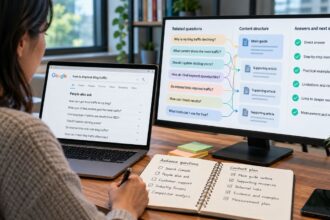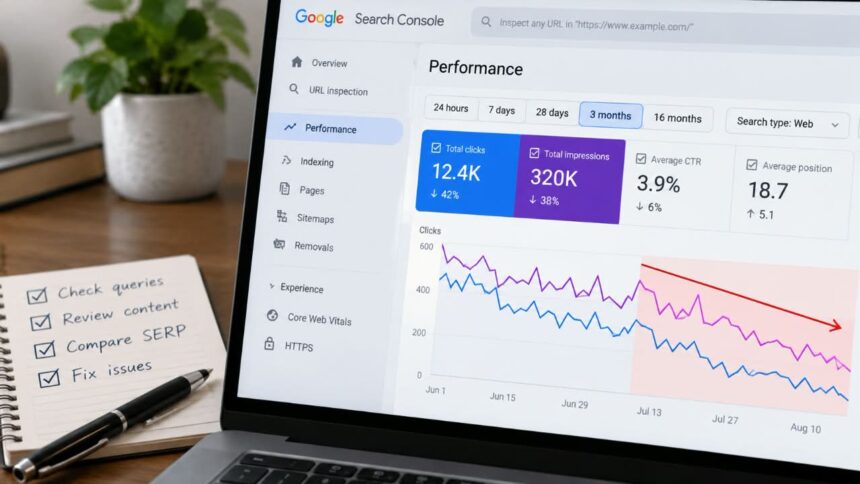
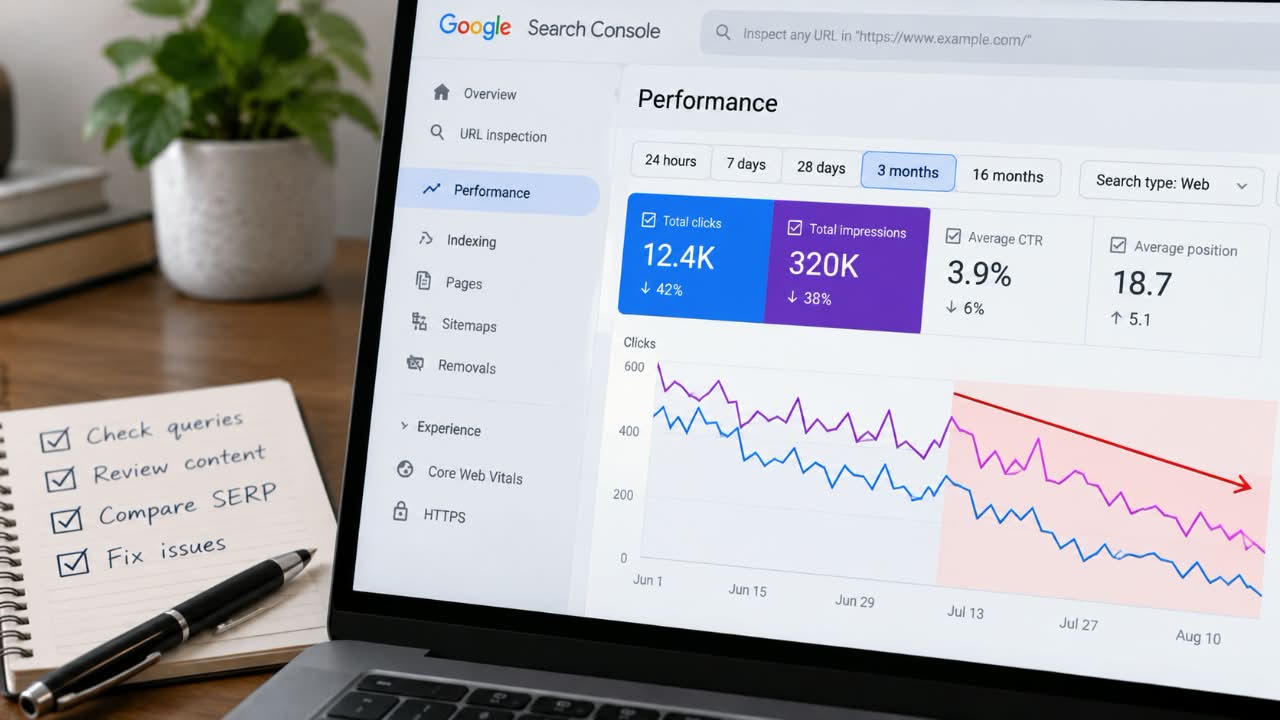
A page can remain indexed, keep the same URL, and still become less useful for the searches that once brought it traffic. Google Search Console will show the symptoms: fewer impressions, fewer clicks, weaker rankings, lower CTR, or a changing query profile. What it will not give you is a score saying, “This page is now less relevant.” You have to diagnose the pattern yourself.
That distinction prevents a common SEO mistake: treating every traffic decline as a content-refresh problem. Google recommends checking search demand, indexing, affected pages and queries, search appearances, data anomalies, and confirmed ranking updates before deciding what caused a drop.
My rule is simple: do not diagnose declining relevance from traffic alone. First find out whether the page is losing visibility for the searches it was actually built to satisfy.
What Declining Page Relevance Looks Like
Imagine an article that once performed well for searches such as “WordPress security hardening,” “WordPress malware protection,” and “WordPress security plugins.” Six months later, those core searches account for much less of its visibility, while broader searches about WordPress generate a larger share of impressions.
The page has not necessarily disappeared. It may still have plenty of impressions. But the relationship between the page and its intended search task has weakened.
Google’s ranking systems use multiple signals to understand queries, concepts, pages, and relevant passages. That makes changes in a page’s query profile useful evidence, but it is still evidence to interpret rather than a direct measurement of Google’s internal relevance assessment.
Signal 1: Core Queries Are Losing Visibility
Start with the query list for the affected URL.
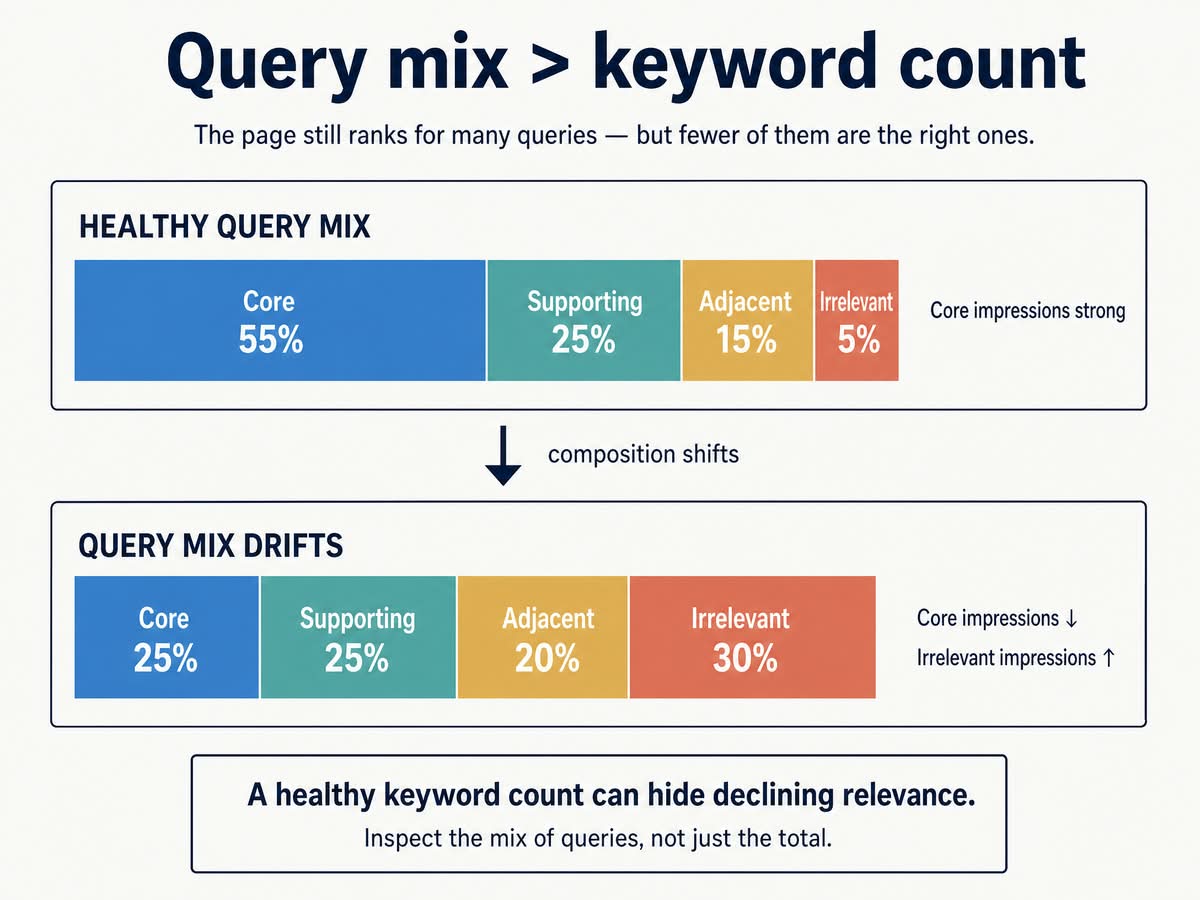
Group the queries into four categories:
- Core: searches that directly represent the page’s purpose.
- Supporting: closely related searches the page naturally answers.
- Adjacent: related subjects that could reasonably deserve another page.
- Irrelevant: searches the page does not meaningfully answer.
This grouping is subjective. Two people can classify the same query differently. That is not a reason to abandon the framework; it is a reason to keep the rules consistent.
If “CRM software for small business” is classified as a core query today, use the same definition when you run the comparison three months from now. Otherwise your trend becomes partly a measurement of changing judgment.
Query Alignment Loss: A Useful Diagnostic, Not a Google Metric
One way to make that comparison more concrete is to track the change in impressions coming from your core query group. I call this Query Alignment Loss.
The formula is:
Query Alignment Loss
= (previous core-query impressions
   - current core-query impressions)
  ÷ previous core-query impressions × 100
Example:
Previous core-query impressions: 24,000
Current core-query impressions: 14,400

(24,000 - 14,400) ÷ 24,000 × 100
= 40%
A 40% decline is a warning signal, not proof of relevance loss. Seasonality, ranking volatility, a Google update, changes in search demand, and reporting differences can all contribute.
That is why the metric only works when you keep the grouping rules consistent and preferably compare equivalent periods, including year over year when seasonality is plausible. Google’s Performance report supports date comparisons and recommends using weekly or monthly aggregation when you need to reduce day-to-day noise.
Signal 2: Impressions and Clicks Fall Together
A simultaneous drop in impressions and clicks is a reason to investigate, not a diagnosis.
Open Search Console → Performance → Search results. Compare a meaningful period with the previous period, then compare the same period from the previous year where practical.
Do not place too much weight on a five-day movement, particularly for pages with low daily volume. Search Console says its newest performance data can be preliminary and may change as collection finishes. Google also documents filtering, aggregation, and row limits in Search Console reporting.
If an article receives 12 impressions one day and 4 the next, the reported percentage drop is huge but statistically weak. A three-month decline that also appears year over year is much more useful evidence.
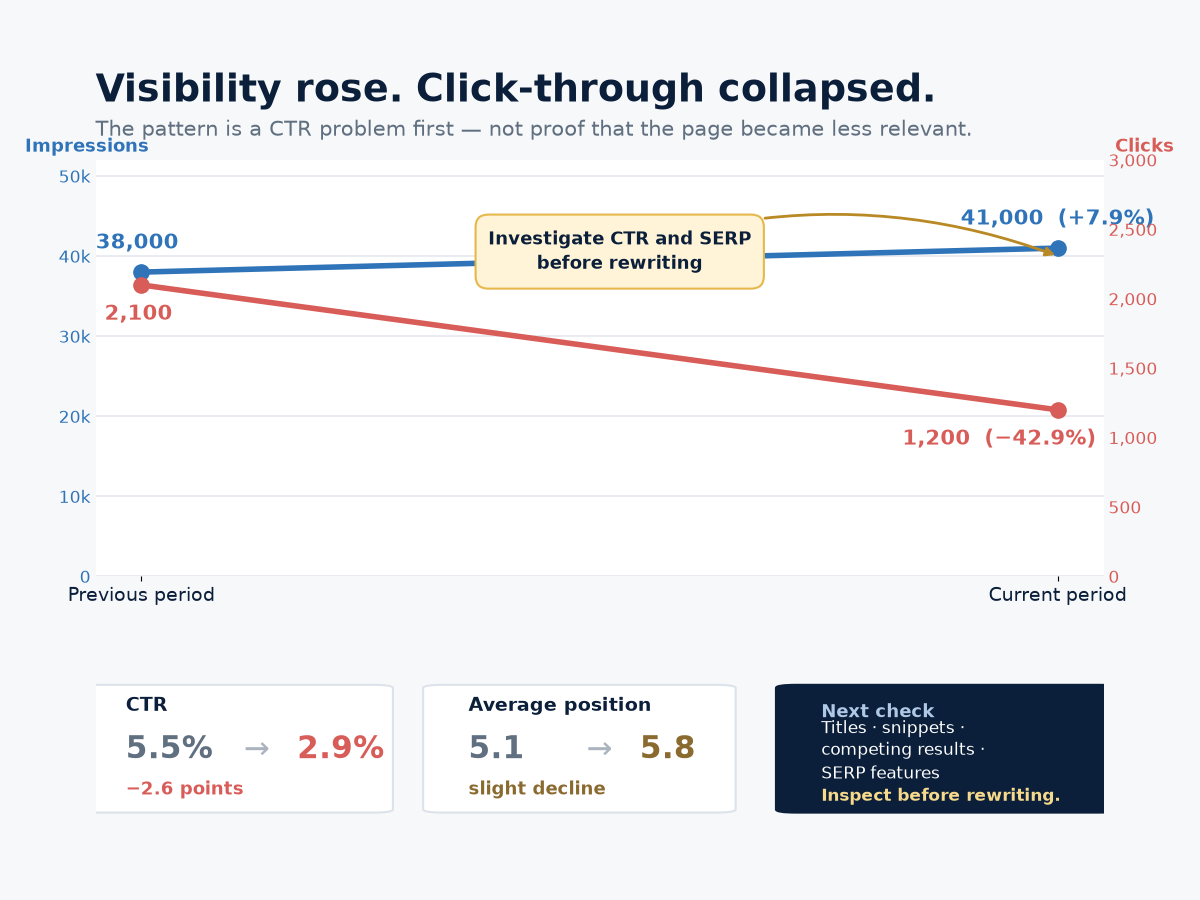
Signal 3: Impressions Rise While Clicks Fall
This pattern deserves special attention because it is easy to misdiagnose.
| Metric | Previous period | Current period | Change |
|---|---|---|---|
| Impressions | 38,000 | 41,000 | +7.9% |
| Clicks | 2,100 | 1,200 | -42.9% |
| CTR | 5.5% | 2.9% | -2.6 points |
| Average position | 5.1 | 5.8 | Slight decline |
The obvious conclusion would be “the page became less relevant.” The data does not prove that.
Visibility actually increased. Average position moved only slightly. The major deterioration is CTR.
I would therefore inspect the query mix and current SERP before rewriting the article. Look for changes in titles, snippets, competing results, and search-result features. Search Console itself recommends focusing more on impressions and clicks than position alone when assessing performance.
Signal 4: A Whole Core Query Cluster Falls
A page moving from position 4 to position 6 for one query is weak evidence. A page dropping from the top 5 into the teens across most of its related core searches is much stronger.
When the decline is broad, compare the current results with the pages that now rank. Search intent may have changed. Competitors may have improved. Google may be displaying a different type of result.
Do not reduce this to keyword density. A competitor can beat a page because it provides original research, first-hand testing, clearer examples, stronger evidence, or a more useful format.
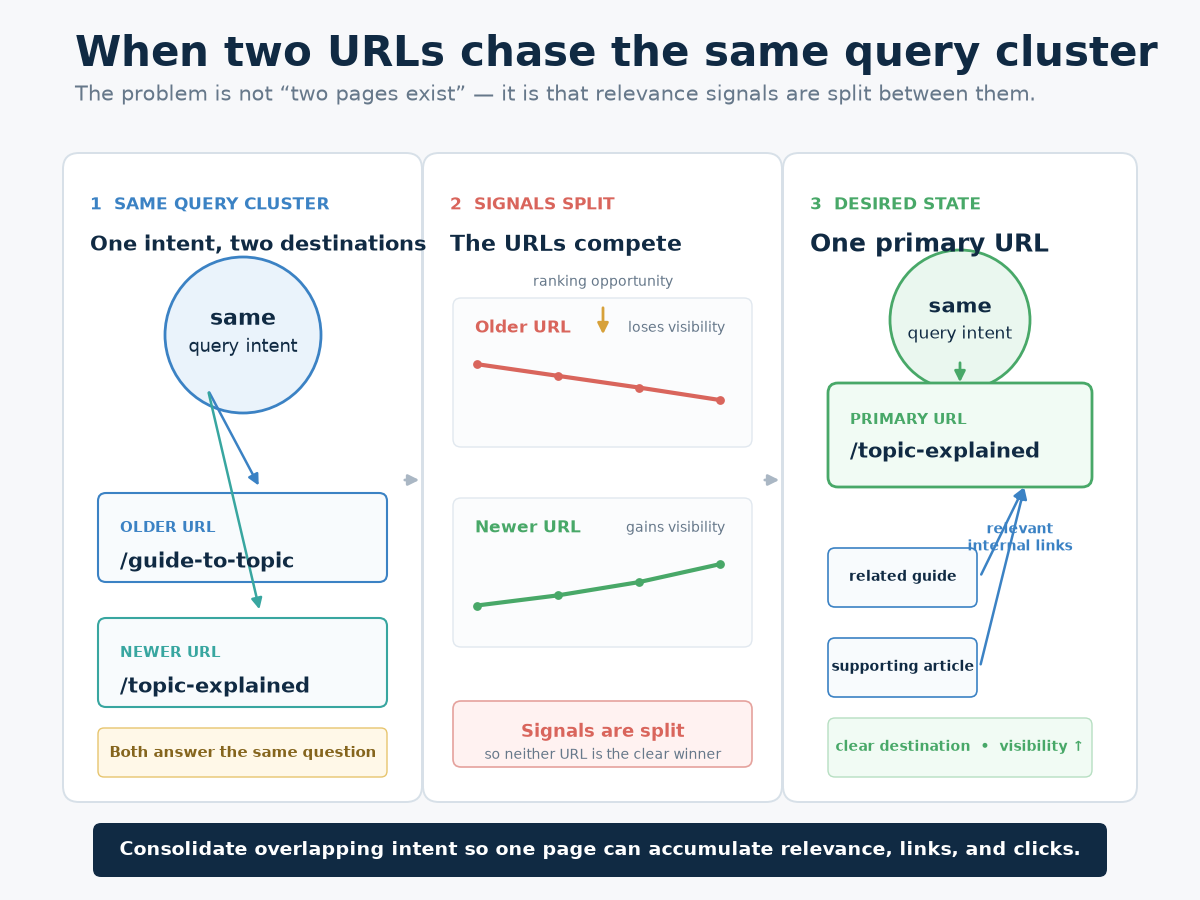
Signal 5: Another URL Is Taking the Same Searches
This can look like relevance loss when the real problem is internal competition.
Imagine a site has:
/best-ai-writing-tools/
/ai-writing-tools/
If both pages target essentially the same intent, one can lose visibility while the other gains it.
Search Console lets you select a query and then view the pages Google showed for that query. That makes it possible to identify situations where multiple URLs compete for the same search.
Signal 6: Indexed Does Not Mean Competitive
A page can pass an indexing check and still perform poorly.
Use URL Inspection to check index status, canonicalization, crawl accessibility, and the indexed representation. Google explicitly warns that “URL is on Google” does not guarantee that a URL will appear in Search.
Before changing the article, check for:
- noindex directives
- canonical conflicts
- redirect problems
- server errors
- rendering issues
- security problems
Search Console Data Is Noisy
SEO dashboards make it tempting to treat every percentage as significant. Resist that.
Google says recent Performance data can be preliminary. It also explains that anonymized queries are excluded from query tables and that filters can create differences between table rows and chart totals. Large properties can encounter row and processing limits as well.
There are three practical safeguards:
- Use consistent comparison periods.
- Prefer weekly or monthly aggregation when looking for durable trends.
- Use year-over-year comparisons when demand is seasonal.
Also check Google’s Search Console data-anomalies page. A logging or aggregation issue can create a chart change that has nothing to do with your SEO performance.
A Real Content-Refresh Case
One useful published example comes from Inflow’s work with EarthKind.
In July 2024, Inflow refreshed EarthKind’s article How to Repel Mice. In its published case study, the agency reports an 87% increase in organic clicks and a 57% increase in organic impressions when comparing the two-month periods before and after the work. A second EarthKind article, Where Mice Can Climb, Jump, & Fit in a Home, reportedly gained 268% in clicks and 176% in impressions under the same comparison approach.
The caveat matters: these are agency-reported case-study results, not a controlled experiment. They show what happened to those URLs after a documented refresh; they do not establish a universal percentage gain for content updates.
How to Fix a Page That Has Actually Lost Relevance
If core impressions and rankings have fallen
Start with intent and information quality.
- Rewrite the promise. Compare the title and opening with what the target query actually asks.
- Audit the current SERP. Record what competing pages answer that yours does not.
- Replace obsolete information. Update statistics, screenshots, software versions, pricing, procedures, and references.
- Add information gain. Include original testing, examples, methodology, or analysis where appropriate.
- Cut filler. Remove sections that do not help the reader complete the page’s intended task.
E-E-A-T becomes practical here. Google’s people-first content guidance points toward concrete checks: original information, accurate sourcing, first-hand experience where appropriate, and content that provides more value than a rewrite of material available elsewhere. For a technical article, that might mean documenting the configuration tested, naming the software version, linking to primary sources, or explaining a limitation competitors skipped. That is stronger than adding an “Expert Tips” subsection filled with generic advice.
Verify: Save the original core-query group before editing. After the update has had time to be recrawled and re-evaluated, compare that same group rather than using total site traffic as the test.
If CTR falls but impressions rise
- Find high-impression queries with unusually weak CTR.
- Search them manually and inspect the current SERP.
- Compare your title and snippet with the intent of the query.
- Rewrite the title around the actual benefit or answer.
- Improve the opening section so the content immediately supports the promise made in the result.
Verify: Track CTR and clicks for the same queries after the change. Do not judge success from impressions alone.
If another URL has taken the queries
- Map both URLs against their actual search intents.
- Identify duplicate or substantially overlapping sections.
- Decide whether they deserve separate URLs.
- If one page replaces the other, consolidate useful information and redirect where appropriate.
- Update internal links to reinforce the intended destination.
- Check canonical declarations and sitemap references.
Verify: Watch the query-to-URL relationship after consolidation. The goal is clear ownership of the search intent.
If the content is outdated but still useful
Perform a substantive refresh rather than changing the date and a few sentences.
- Retest technical instructions.
- Replace old statistics and examples.
- Update screenshots and interfaces.
- Replace broken or weak references.
- Remove discontinued products, features, and practices.
- Add new evidence where the subject has materially changed.
Verify: Keep a change log. It gives you a clean before-and-after boundary for the next performance review.
If internal-link support has weakened
Repair the information architecture rather than adding random links.
- Find closely related pages that naturally reference the subject.
- Add contextual links where they help the reader.
- Use descriptive anchor text.
- Restore important links removed during a redesign or migration.
Verify: Crawl the site and confirm the page remains connected through logical internal paths.
If the page has become too broad
Split genuinely different search intents into separate resources. A guide explaining what CRM software does does not need to become a definition, vendor comparison, pricing guide, implementation manual, and buying guide in one URL.
Create focused pages and connect them with relevant internal links.
Verify: Reclassify the query groups after restructuring. Each URL should have a clearer job than before.
If the decline is sitewide
Do not rewrite dozens of articles until you know whether the pages share a common problem.
Check:
- Manual Actions
- Security Issues
- indexing and canonical changes
- robots and server problems
- migration or redesign changes
- internal-link losses
- confirmed Google ranking updates
Google says a manual action can cause some or all of a site to rank lower or disappear from Search, which is why this check belongs near the beginning of a sitewide investigation.
Check Google Updates Before Drawing a Final Conclusion
Google sometimes rolls out ranking updates over days or weeks. The Search Status Dashboard shows which updates are active. An update can explain timing, but timing alone does not establish causation, so compare the page’s pattern against other pages, query groups, and technical changes before deciding what happened.
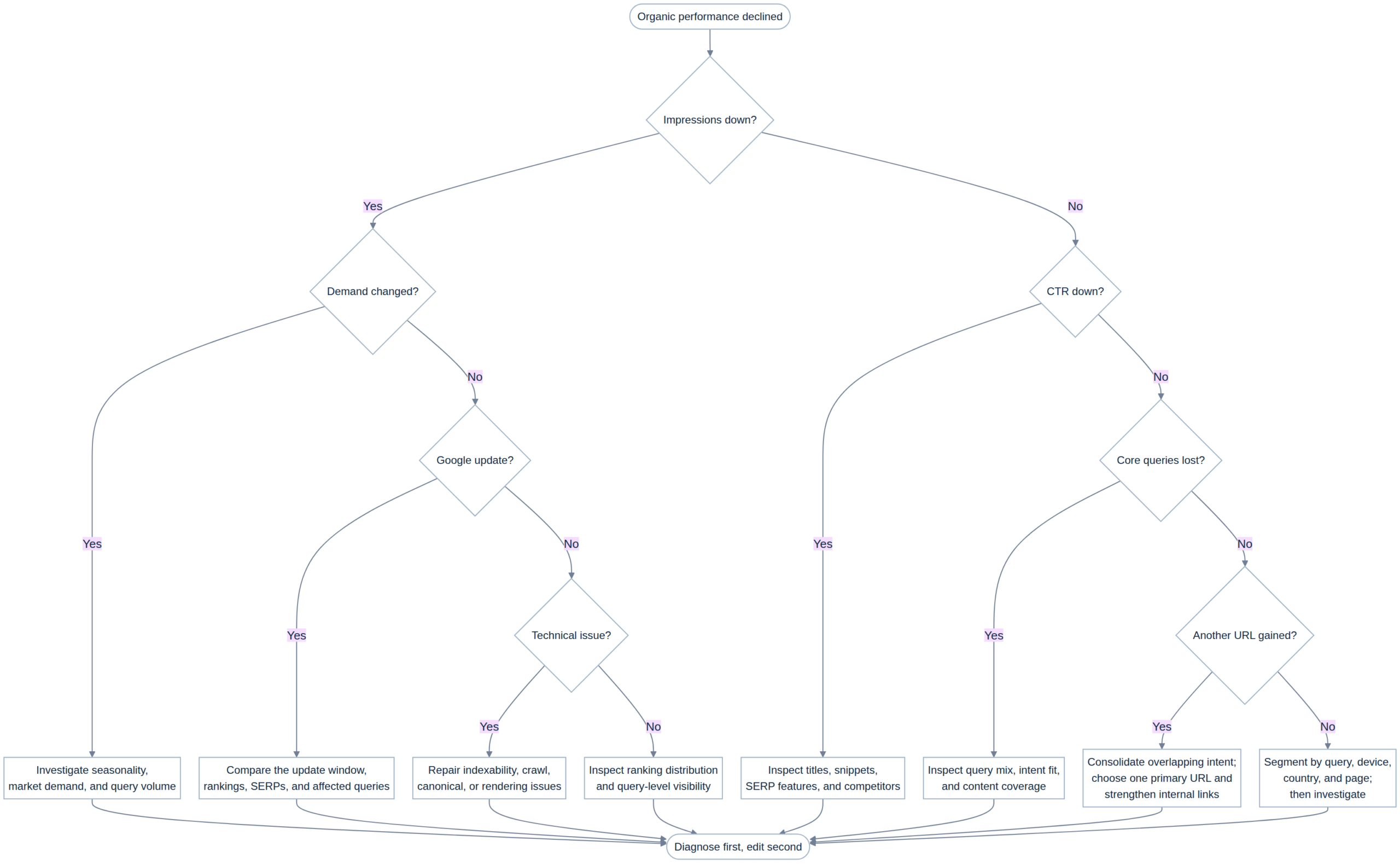
A Practical Diagnostic Sequence
- Verify the data. Check recent-data status and known Search Console anomalies.
- Identify the affected URLs. Decide whether the problem is isolated or sitewide.
- Inspect core query loss. Separate meaningful queries from long-tail noise.
- Check CTR. Rising impressions with falling CTR require a different response.
- Inspect indexing and canonicals. Use URL Inspection.
- Check site-level problems. Review manual actions, security, migrations, and architecture.
- Compare the current SERP. Look at intent, result types, and competing pages.
- Audit the content. Look for obsolete facts, weak evidence, missing answers, and scope problems.
- State the diagnosis. If you cannot explain the decline in one defensible sentence, you probably are not ready to rewrite.
- Apply the matching repair. Change only what the diagnosis supports.
- Measure the same signals again. Use the original query groups and comparison logic.
The Question to Ask Before You Edit Anything
Traffic decline is an outcome, not a diagnosis.
The stronger signal is a persistent deterioration in the relationship between a page and the searches it was built to satisfy.
Search Console provides most of the evidence you need: queries, impressions, clicks, CTR, rankings, pages, indexing information, and comparisons. The difficult part is interpreting those measurements without confusing normal noise for a real trend.
Start with the query-page relationship. Check the technical layer. Examine demand. Compare the current SERP. Look at competing URLs. Then audit the content and the evidence behind it.
When you can explain exactly which search demand the page lost, where that demand went, and what changed in the competing results, you have a diagnosis. Before that, you only have a traffic decline.