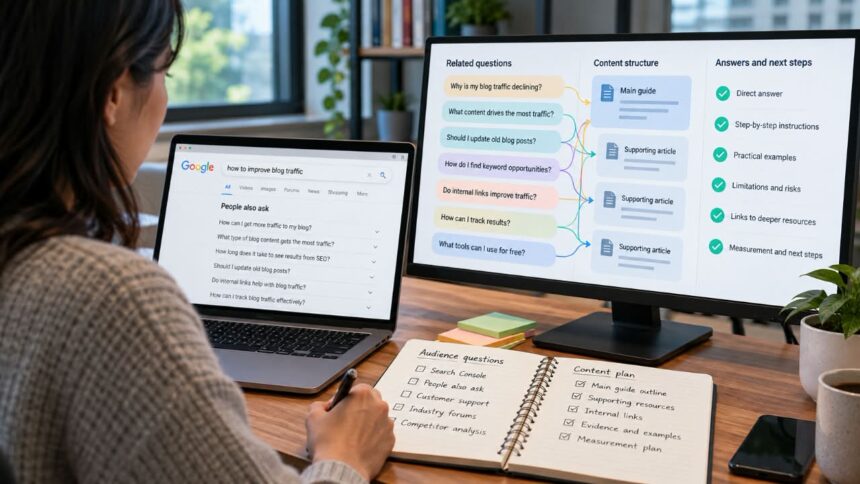
A search query rarely tells you everything a reader needs to know. Someone searching for “how to increase website traffic” might want a checklist, but they may also need to identify why their traffic is low, improve their content, fix technical SEO issues and measure whether their efforts are working.
Google describes a process called query fan-out, in which AI-powered search generates related queries to investigate different aspects of an original question. For content marketers, this offers a useful way to think about search intent: the words people enter may be narrower than the problem they are trying to solve.
The challenge is deciding which follow-up questions deserve attention. Cover too little, and readers may leave without the information they need. Try to answer everything in one article, and the result can become unfocused, repetitive and difficult to use.
The practical solution is to research the questions surrounding a topic, determine which ones matter to your audience and build a clear path from the initial problem to a useful outcome.
What makes content capable of answering follow-up questions?
Useful content helps readers make progress. It explains the problem, shows them how to evaluate their options and gives them enough information to choose their next step. The number of questions an article answers matters less than whether those answers serve a coherent purpose.
Consider someone searching for “best email marketing tools for small businesses”. A list of ten platforms with short descriptions may introduce the available options, but it might leave the reader unable to choose. The unanswered questions could be more important than the initial search: What happens when the subscriber list grows? Which automation features require a paid plan? Can existing contacts be imported without losing useful data? Will the platform integrate with the business’s current website or customer relationship management system?
A stronger comparison connects those questions to actual buying decisions. It explains which tools suit particular needs, identifies meaningful restrictions and tells readers what to verify before committing to a subscription. Where prices or product features change frequently, it also gives them a way to check the current terms.
This approach connects search intent research with customer journey mapping and conversion optimisation. It is a content strategy, not a recognised Google ranking factor in its own right. Including more questions does not automatically improve rankings.
Google’s guidance on people-first content encourages publishers to produce original, reliable material that genuinely helps their intended audience. In practice, that means making editorial decisions based on what readers need to accomplish, not adding sections simply because a keyword tool has suggested another variation.
Research the questions readers actually ask
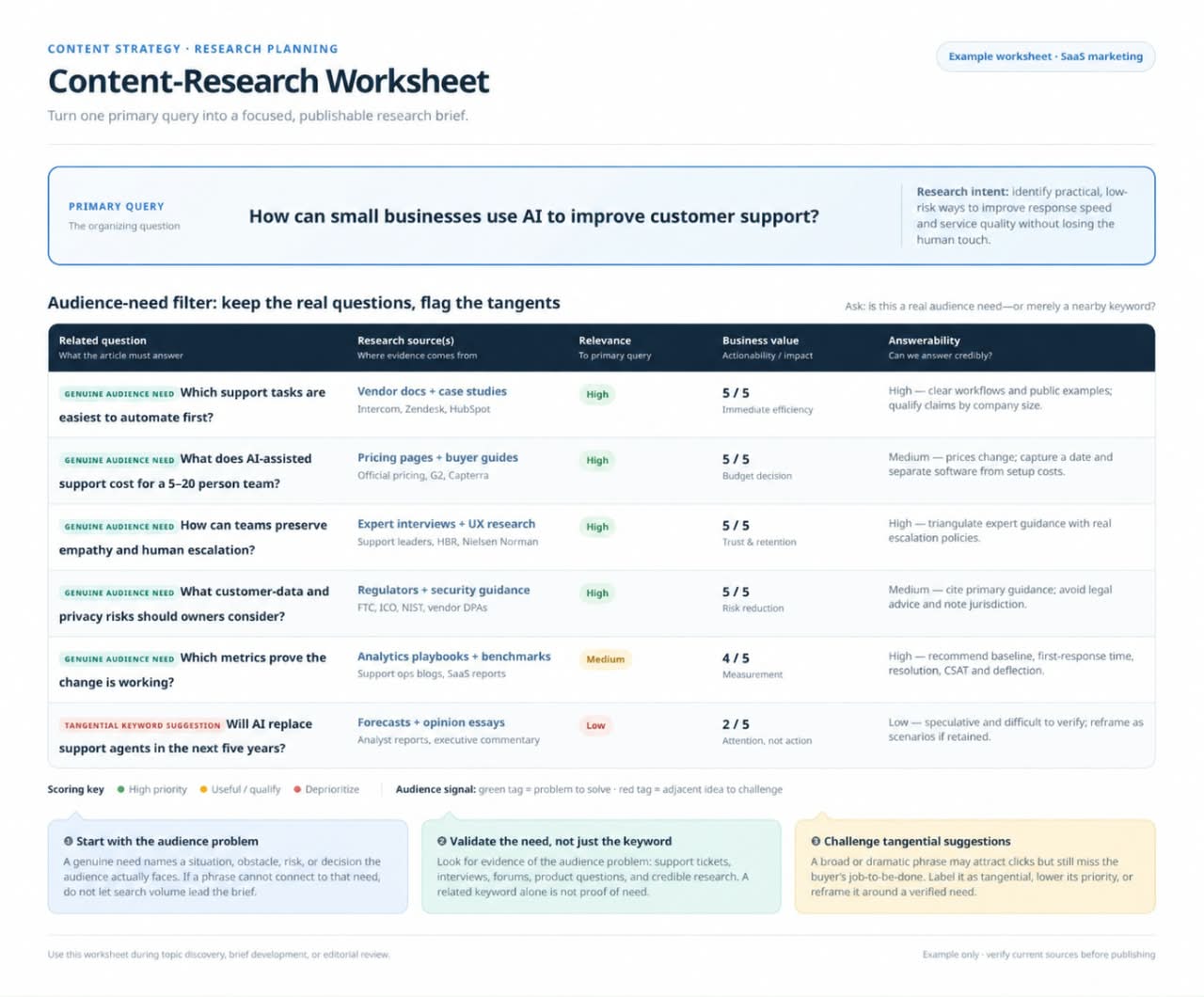
The first research problem is separating genuine audience needs from questions that merely sound relevant. A keyword tool can generate hundreds of suggestions, but those suggestions do not establish that every question deserves a place in your content.
Start with the primary problem and collect evidence from several sources. Each source reveals something different, so avoid treating any single report or tool as a complete picture of reader intent.
- Google Search Console: Review queries that already generate impressions and clicks for relevant pages. Look for searches that suggest an information gap, a mismatch between the page and the query, or an opportunity to improve an existing answer.
- Search results: Examine People Also Ask questions, autocomplete suggestions and related searches. Treat these as research leads to investigate, not a list of headings you must copy into an article.
- Customer conversations: Review support requests, sales objections, product reviews and questions submitted through contact forms. These can expose practical problems that keyword tools do not describe clearly.
- Industry communities: Read relevant discussions on Reddit, Quora and specialist forums. Look for recurring problems, failed attempts, misunderstandings and the points where people struggle to apply existing advice.
- Competitor pages: Compare how other publishers explain the subject. Note missing instructions, unsupported claims and unanswered questions, but do not assume that a longer competing article is necessarily better.
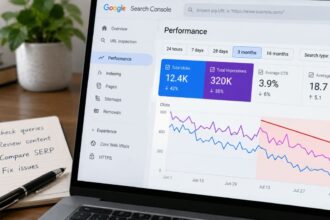
The Search Console performance report provides clicks, impressions, click-through rate and average position, which can be examined by query or page. These figures help identify areas worth investigating. They do not, on their own, reveal what every visitor intended to accomplish or why a particular page performed as it did.
For example, suppose a guide to increasing blog traffic receives impressions for searches about declining traffic, internal links and outdated articles. Those queries suggest several possible needs, but they do not automatically justify three new sections. Read the existing guide, inspect the queries and determine which questions it currently answers poorly.
Before adding a question to your editorial plan, assess four things:
- Audience relevance: Does the question belong to the people the article is intended to help?
- Evidence of demand: Is there a credible reason to believe readers need this information? Demand can come from search data, customer conversations or repeated problems observed in relevant communities.
- Business relevance: Does answering it support a legitimate reader journey, such as evaluating a solution, completing a task or making an informed purchase?
- Answerability: Can you provide a correct, sufficiently detailed answer using reliable evidence or genuine experience?
A question does not need strong search volume to deserve attention. A recurring question from existing customers may be more valuable than a popular but loosely related keyword. Equally, a question should not be included merely because it is commercially attractive if the article cannot answer it properly.
Build a question map before writing
Once you have collected the questions, group them according to the job each one helps the reader complete. This turns an unstructured keyword list into an editorial plan and makes missing information easier to identify.
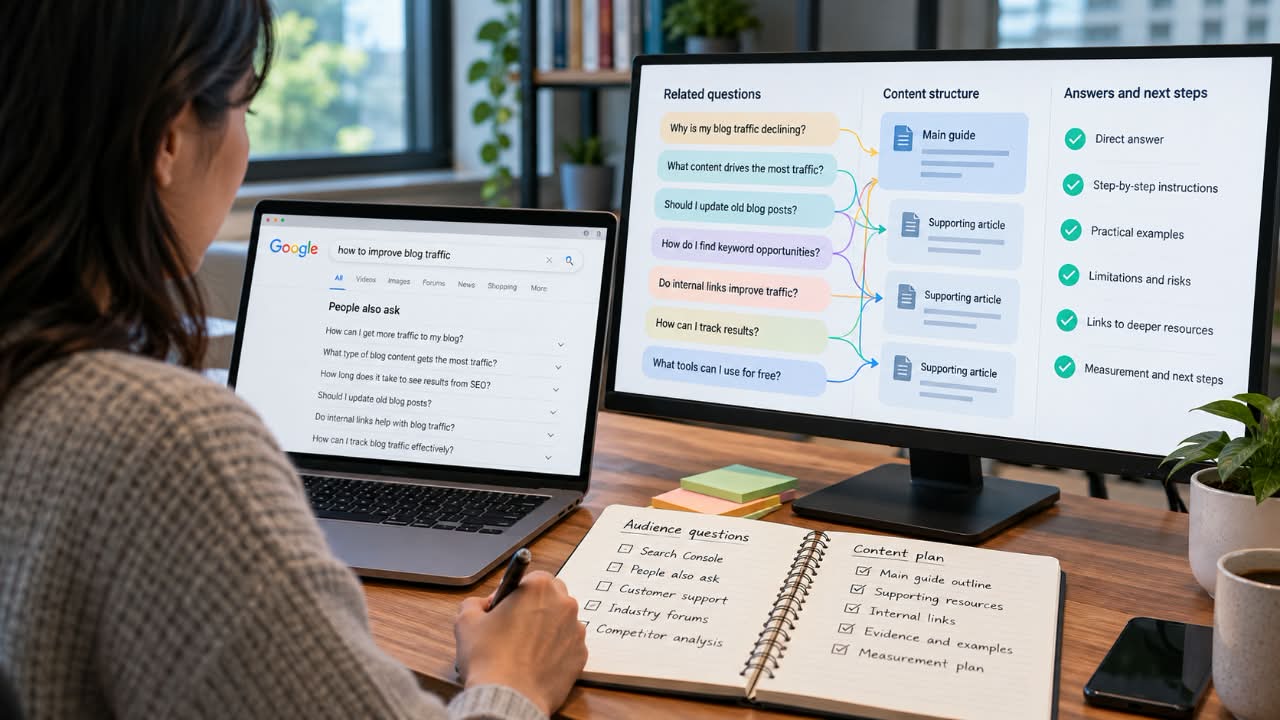
Take an article about increasing organic traffic to a blog. Instead of treating every related query as a separate heading, organise the research around the decisions a reader must make.
- Diagnosis: Why has traffic declined? Did impressions fall, did the page receive fewer clicks, or did search visibility change?
- Priorities: Which existing articles deserve attention before the publisher invests time in new ones?
- Implementation: How can a marketer identify content gaps, check outdated information and improve internal links?
- Constraints: Which investigations can be completed with free tools, and where are their limitations?
- Measurement: What evidence would indicate that an update helped, and what else might explain the change?
These categories create a natural sequence. The reader first identifies the problem, then decides what to work on, makes changes and evaluates the outcome. They also stop the article from becoming a collection of disconnected answers held together by a common keyword.
A question map should guide the writing, not dictate every heading. Some questions can be resolved in one sentence. Others need a procedure, evidence or a dedicated resource. Some may not belong in the article at all.
An example of improving a blog traffic guide
Suppose Search Console shows that a guide about increasing blog traffic receives impressions for queries about declining visits, updating old posts and improving internal links. A quick response would be to add a heading for each query. A more useful response is to determine what the reader needs to do and how much explanation each task requires.
| Reader question | Editorial decision | What the content should provide |
|---|---|---|
| Why did my blog traffic decline? | Answer in the main guide | Explain how to compare impressions, clicks and average position, and why each metric points to a different possibility. |
| Which old posts should I update first? | Answer in the main guide | Give readers a way to shortlist pages using relevance, current performance, outdated information and realistic improvement opportunities. |
| How do I audit a site’s internal links? | Link to a supporting tutorial | Use a dedicated guide for the detailed procedure, tool options and examples that would overwhelm the main article. |
| How can I tell whether an update worked? | Answer in the main guide | Show how to record a baseline, compare relevant performance data and account for other changes that might affect results. |
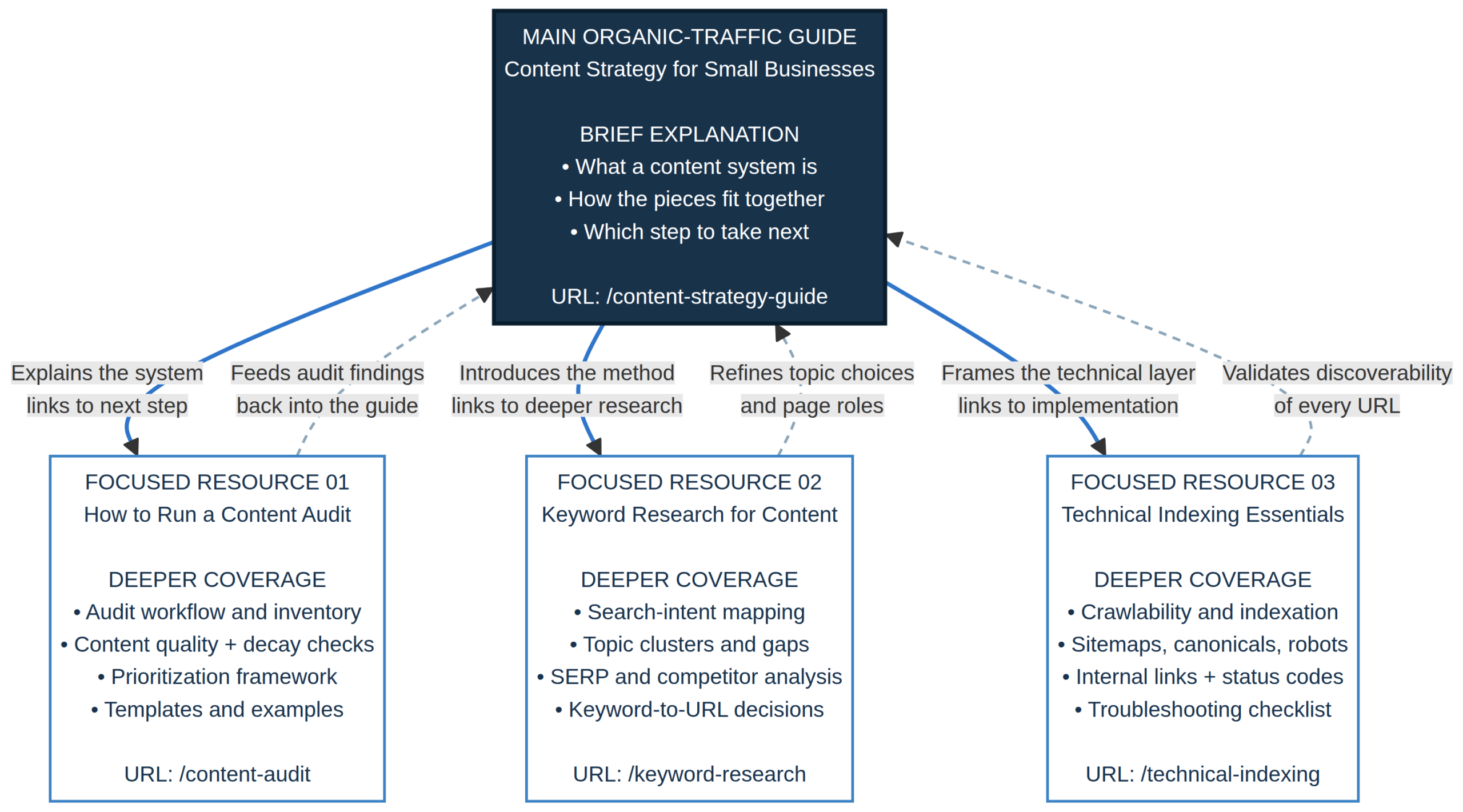
This map gives the main article a clear job: help the reader understand and begin improving organic traffic. The supporting tutorial handles a more specialised task that needs its own instructions.
Research published by Chris Green through AlsoAsked on 16 February 2026 provides a relevant, though limited, data point. The ranking-correlation study examined 563 seed keywords, 7,905 related questions and 5,415 URLs. It reported that top-ranking pages often answered more People Also Ask questions, with stronger correlations for commercial and transactional searches.
The findings are suggestive, not proof that adding questions improves rankings. The study used GPT-3.5 Turbo to classify whether pages fully, partially or did not answer each question. Its author also identified limitations involving content extraction, pages that could not be accessed or evaluated, and the absence of a built-in manual review of the model’s classifications.
These limitations matter because the results depend on both the pages included in the sample and the accuracy of the question-answer classifications. Better-ranked pages may also have stronger expertise, more useful explanations, better technical quality or other advantages. The study does not establish that expanding question coverage will improve any particular page’s position.
Decide whether each answer belongs on the same page
Comprehensive content does not mean answering every related question in one article. The editorial decision is whether the additional information helps readers complete the main task or would be more useful as a separate resource.
| Editorial decision | When to use it | Example |
|---|---|---|
| Answer in place | The question directly supports the main task and needs a relatively short explanation. | Explain how to identify underperforming posts in a guide to increasing blog traffic. |
| Create a supporting article | The question represents a distinct task requiring substantial instructions, examples or troubleshooting. | Publish a dedicated tutorial on auditing pages in Search Console. |
| Link to an existing resource | A suitable page already provides the detailed explanation the reader needs. | Link to a technical SEO guide when discussing indexing problems. |
Use three tests before creating a new page. First, does the question represent a distinct reader need? Second, would answering it properly require enough detail to distract from the main article? Third, do you have something useful to add beyond what your existing resources already cover?
If the question is closely related to the main task and can be answered clearly in a short section, keep it on the same page. If it requires a separate process, substantial troubleshooting or a different decision, a supporting article may be more appropriate. If a suitable resource already exists, improve the connection between the pages rather than publishing another version of the same advice.
Google warns against creating large numbers of pages for every possible search variation when the primary purpose is to manipulate search visibility. Its guidance on generative AI search also cautions against producing separate pages for query variations simply to capture more searches or influence AI responses. Organising content around distinct user needs is a more defensible approach than publishing near-duplicate articles.
Write answers that solve the problem
Once the questions have been prioritised, the writing must do more than provide a quick answer followed by several paragraphs of repetition. Each section should make a clear contribution: explain a decision, give instructions, establish a limitation or help the reader interpret evidence.
Answer directly, then explain the details
Give readers the information they came for near the beginning of the relevant section. Follow it with the reasoning, instructions and conditions necessary to apply it correctly.
For example, telling a reader to “update underperforming content” does not explain which page to choose or what to change. A practical guide would describe how to shortlist relevant pages, verify outdated claims, identify missing information, improve weak explanations and preserve material that remains accurate and useful.
It should also explain what not to do. A page with declining clicks does not necessarily need a rewrite. The cause might involve lower search demand, changes in search results or a problem unrelated to the content itself. Investigate the available evidence before choosing a remedy.
Cover limitations and failure points
Readers often need to know when advice will not work or when a different procedure is required. A WordPress security guide should distinguish routine preventive measures from incident recovery. A software comparison should explain relevant restrictions instead of presenting every product as suitable for every buyer.
For a traffic guide, this might mean explaining that updating a post cannot guarantee a ranking improvement. The page could be targeting the wrong query, lack information that readers need, or face competition that a minor edit will not overcome. Helping readers identify those limits makes the advice more actionable than promising a result.
Support claims with credible evidence
Use primary sources for platform rules, product capabilities and technical instructions. Support performance claims with credible research or clearly described data. When reporting a study, explain what it measured and what it did not establish.
If your team has tested a process, describe what was tested, the conditions, the results and the limitations. Do not invent personal experiences, customer outcomes or case studies to make an article appear authoritative. When firsthand evidence is unavailable, be clear about the basis for the recommendation.
One practical editing test is to examine each section and ask: what can a reader now understand, decide or do that they could not do before reading it? The answer should be specific. If a paragraph only restates the heading or repeats a point already made, rewrite it, combine it with a stronger section or remove it.
Measure usefulness, not just keyword coverage
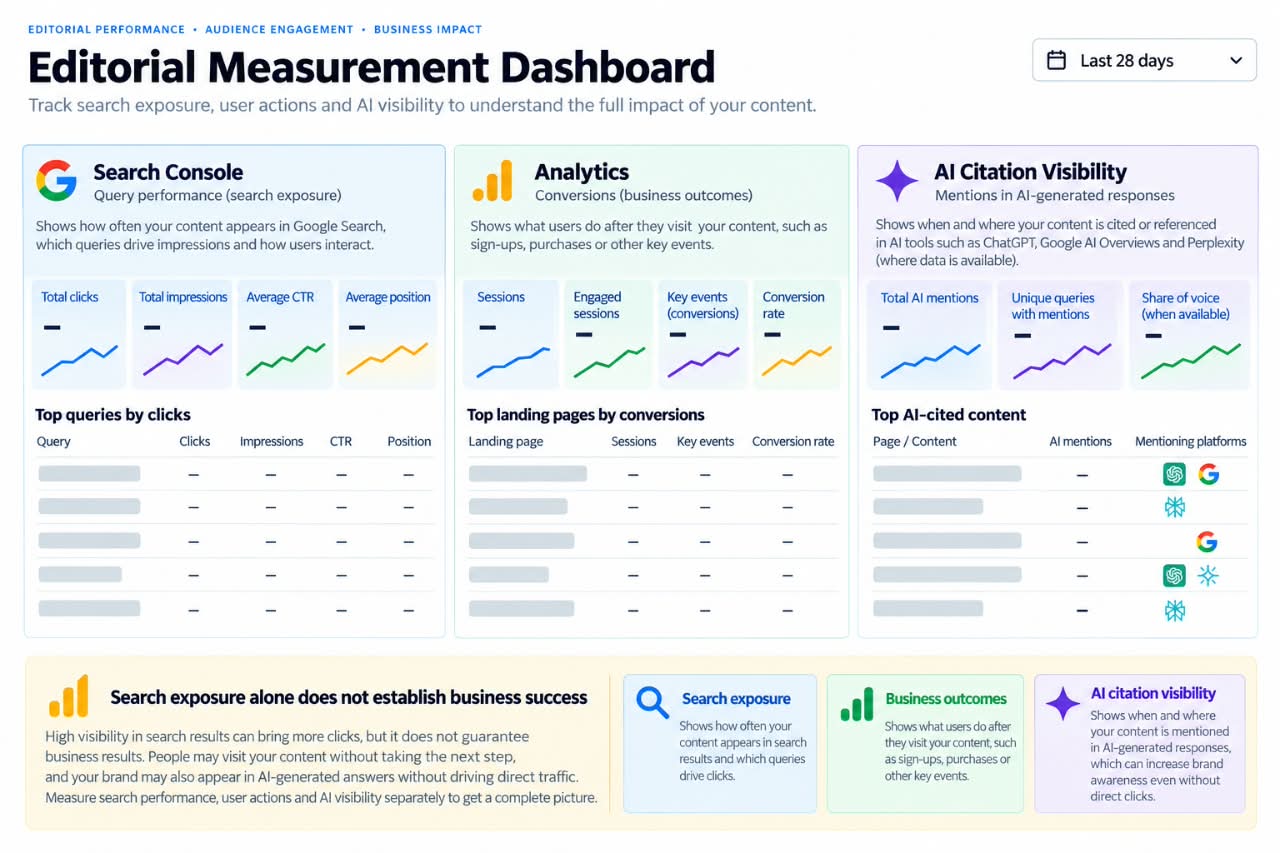
Publishing the article is not the end of the process. Return to the original question map and check whether the content addresses the needs you identified. Then assess performance using measures that match the page’s purpose.
- Search visibility: Compare impressions, clicks, click-through rate and relevant queries before and after the update. Investigate which queries have changed rather than relying on a single headline metric.
- Audience behaviour: Where suitable analytics are available, examine whether visitors use relevant resources, proceed to supporting pages or take the next step the article was designed to enable.
- Business outcomes: Track qualified enquiries, registrations, subscriptions or purchases where these actions fit the purpose of the page. A marketing guide intended to generate leads may need different measures from a troubleshooting article.
- AI search visibility: Where measurement tools provide the data, investigate which topics and queries are associated with citations or appearances in AI-generated answers. Treat this as one signal rather than a complete account of visibility or value.
Before changing a page, record its current performance and the date of the update. Afterward, compare equivalent reporting periods where possible and note other changes that might have affected the result, such as seasonality, site-wide technical changes or shifts in search demand. If you change the title, rewrite the article, alter internal links and modify the page layout simultaneously, it may be difficult to determine which change contributed to any improvement.
Do not judge an update after only a few days and assume the strategy has succeeded or failed. Allow enough time for meaningful data to accumulate, taking the page’s traffic level and search behaviour into account. Smaller sites may need longer observation periods because a handful of clicks can create large percentage changes.
Microsoft’s Topics Portfolio beta, announced on 13 October 2026, groups queries associated with a site’s presence in AI-generated answers into broader thematic clusters. The feature also identifies potential opportunities where other sites appear but yours does not. Microsoft cautions that its AI-generated classifications and several measures are approximate, so publishers should use them as planning signals rather than precise performance records.
Search exposure alone does not establish that content is useful. A page can receive impressions without attracting clicks, attract clicks without answering the question, or answer a question well without directly producing a sale. Review the signals together and interpret them in the context of the reader’s original task.
Make the next article more useful
Start with one important page rather than trying to redesign your entire content strategy at once. Identify its purpose, collect the real questions surrounding it, and compare those questions with what the page currently explains. Prioritise the gaps that matter to your intended audience and that you can answer accurately.
For each gap, choose a clear action: improve the existing explanation, add a focused section, link to a suitable resource or create a separate article for a genuinely different task. Record why you made each decision. That small step helps prevent a question map from becoming another keyword list that grows without a clear editorial purpose.
After publishing, compare the results with your baseline. Look at the queries the page serves, whether readers take the intended next step and whether the new material adds value that was missing before. Use what you find to improve the page instead of assuming that more headings or more FAQs automatically mean better content.
The goal is to help readers finish the task that brought them to your website. That takes more than predicting their next question. It requires understanding the problem, giving accurate answers, recognising where one article ends and another begins, and making the next step clear. When each section earns its place, the article becomes a useful resource rather than another stop in an unfinished search.