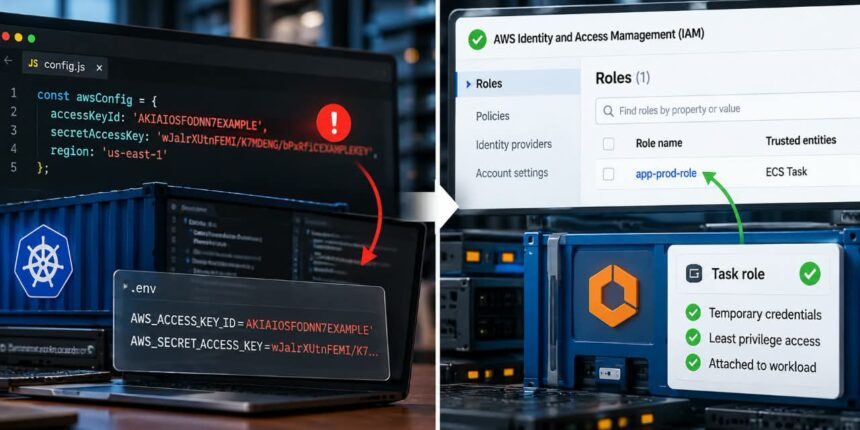
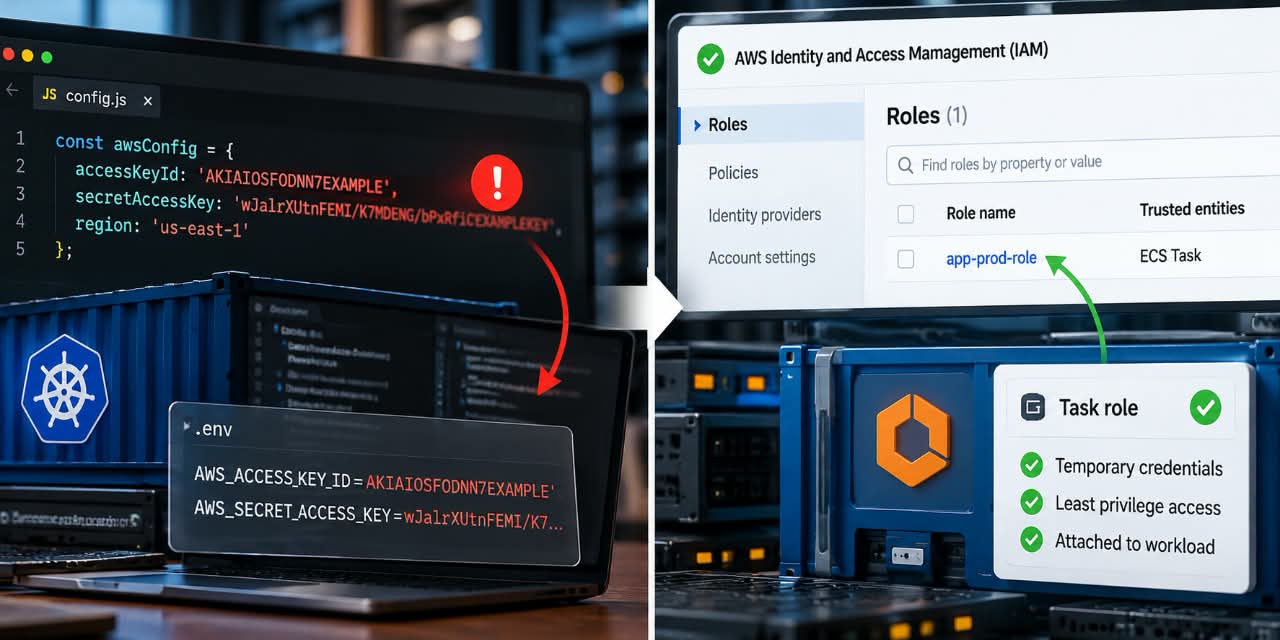
A production application that carries a permanent AWS access key is carrying a credential that can outlive the server, container, deployment, and even the engineer who created it.
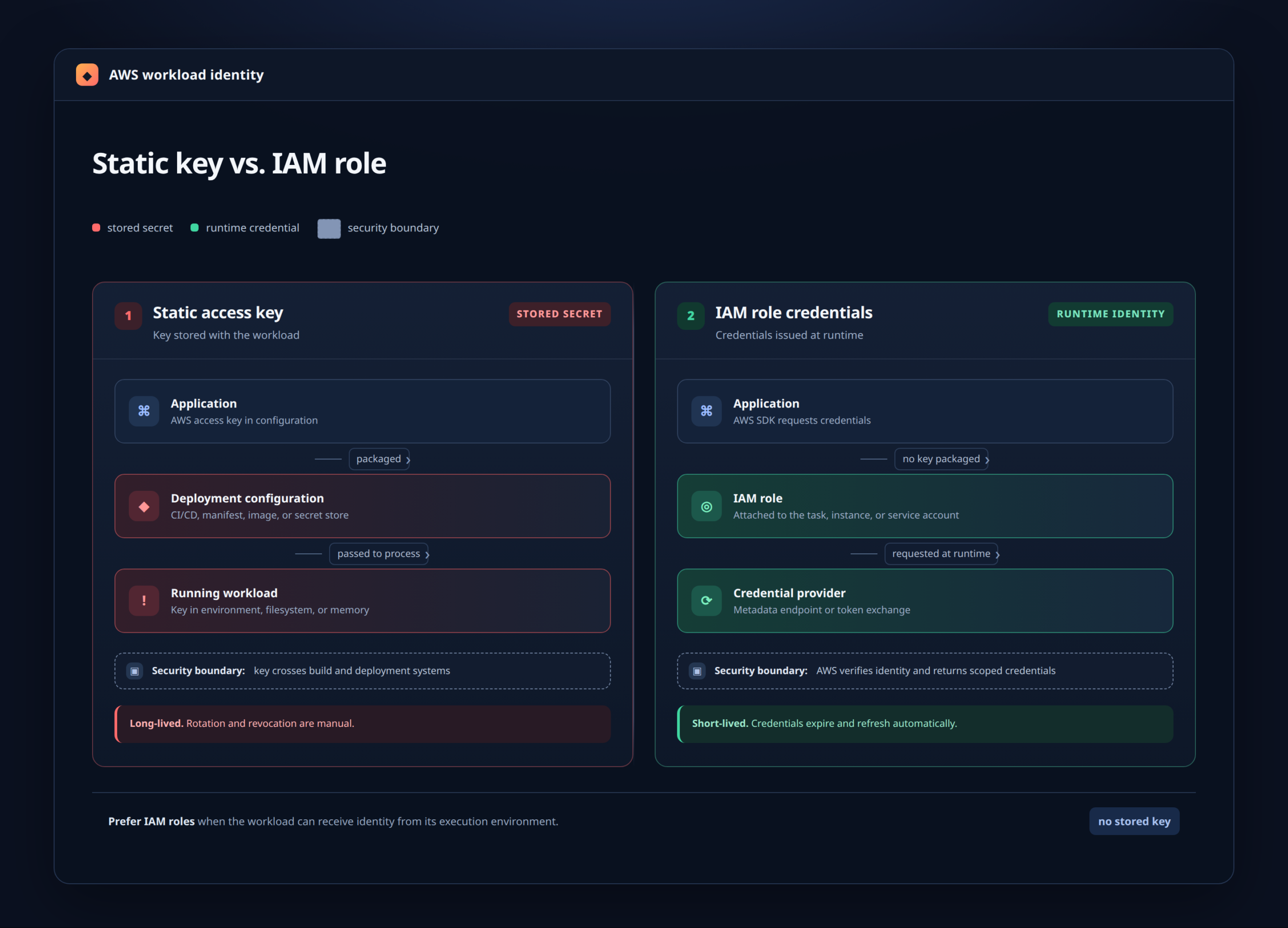
The uncomfortable part is moving the key from source code into an environment variable which does not actually remove the problem. The application still depends on a long-lived credential that has to be stored, distributed, protected, rotated, and eventually revoked.
The cleaner approach is to stop giving the workload a permanent AWS key in the first place. AWS workloads can use IAM roles and temporary credentials so the application obtains access at runtime rather than carrying a static credential around.
First, Understand What You Are Actually Removing
A typical hard-coded AWS credential looks something like this:
AWS_ACCESS_KEY_ID=AKIA...
AWS_SECRET_ACCESS_KEY=...
You may find those values in application code, a .env file, a Docker image, a deployment manifest, CI/CD variables, a startup script, or a configuration file copied onto a production host.
Developers often consider the job finished once the credential disappears from Git. That is too narrow.
The real objective is to remove the application’s dependency on a long-lived access key and replace it with an identity mechanism appropriate for the workload.
The Target Architecture is Different for Each AWS Workload
There is no single migration command because AWS workloads obtain credentials differently.
| Production workload | Preferred approach | What changes |
|---|---|---|
| Amazon EC2 | IAM role through an instance profile | The instance receives temporary role credentials instead of storing an IAM user’s access keys. |
| Amazon ECS / Fargate | ECS task IAM role | Permissions are attached to the task and credentials are delivered to containers through the ECS credential mechanism. |
| Amazon EKS | EKS Pod Identity; IRSA where appropriate | A Kubernetes service account is associated with an IAM role so the pod can obtain credentials without embedding a long-lived key. |
| AWS Lambda | Lambda execution role | The function uses the permissions assigned to its execution role rather than shipping AWS keys with the function. |
AWS now recommends EKS Pod Identities for granting AWS access to EKS workloads whenever possible. AWS also supports IAM roles for service accounts, commonly called IRSA.
For ECS, the task IAM role is particularly useful because the permissions belong to the workload rather than being inherited from a broader host identity. AWS says task roles allow applications in containers to use AWS services without having to place credentials in the container image or application configuration.
Find every place the key exists
Do not start by deleting the IAM user, start by finding every consumer. Search the application repository, deployment configuration and infrastructure code for patterns such as:
AWS_ACCESS_KEY_ID
AWS_SECRET_ACCESS_KEY
accessKeyId
secretAccessKey
aws_access_key_id
aws_secret_access_key
Then inspect the places that do not appear in the application repository:
- Dockerfiles and image build arguments
- Kubernetes manifests and Secrets
- ECS task definitions
- CI/CD variables
- Terraform, CloudFormation or CDK configuration
- Host-level environment files
- Startup scripts and systemd units
- Third-party deployment systems
Also determine exactly what the credential does. A key that only writes logs is a different migration problem from a key that can delete S3 objects, modify IAM policies or access production databases.
This inventory is worth doing before changing anything because a single access key is often reused by several services. Replacing the credential in one workload while another workload silently depends on it is how production migrations turn into outages.
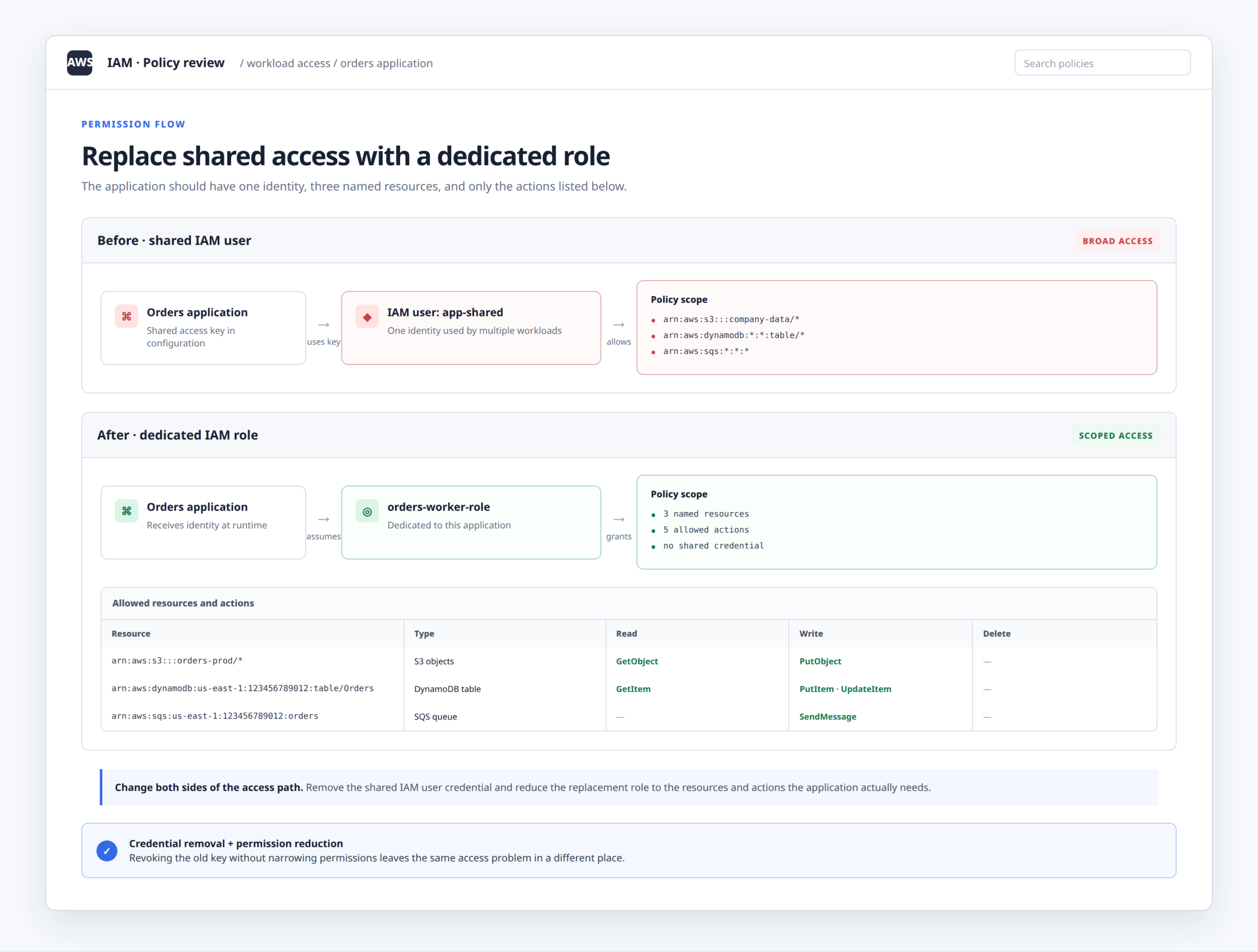
Work out the minimum permissions the application needs
Do not copy the existing IAM user’s entire policy onto a new role and call it done. That simply changes the name of the identity.
Start with the application’s real AWS operations. For example, an image-processing service might need:
s3:GetObject
s3:PutObject
It probably does not need permission to administer every bucket in the account.
Create a dedicated IAM role for the workload and grant only the actions and resources it needs. AWS specifically recommends separate ECS task roles for workloads where that separation provides more granular control.
Attach the role to the production workload
EC2
For an EC2-hosted application, assign an IAM role through an instance profile. The AWS SDK can then obtain credentials from the instance’s role rather than requiring an access key in the application.
The important code change is often smaller than people expect. Modern AWS SDKs generally use a default credential provider chain, so code that was explicitly loading environment variables or configuration files may simply need to stop doing that.
ECS and Fargate
For ECS, create an IAM task role and attach it to the task definition. AWS provides the temporary credentials to the containers using the ECS credential mechanism. The ECS task role is separate from the task execution role, which is used by ECS itself for tasks such as pulling images or sending logs.
That distinction is easy to miss. The application needs the task role. The ECS platform may need the execution role. They solve different problems.
EKS
For EKS, associate the Kubernetes service account used by the application with an IAM role. EKS Pod Identity provides a direct mechanism for this association, while IRSA remains available for supported configurations.
With Pod Identity, the association is created in EKS rather than by putting an IAM role annotation into the Kubernetes service account object. AWS describes this as a simpler setup for EKS workloads.
Make the application use the default AWS credential chain
Your infrastructure can be perfectly configured while the application still insists on using the old key.
Look for code resembling:
new AWSClient({
  accessKeyId: process.env.AWS_ACCESS_KEY_ID,
  secretAccessKey: process.env.AWS_SECRET_ACCESS_KEY
});
The exact syntax varies by language and SDK, but the principle is the same: remove explicit long-lived credentials and let the AWS SDK discover the workload’s role credentials.
Test this in a non-production environment first. Confirm that the application can still perform every AWS operation it needs.
A useful test is deliberately simple: remove the key from the application’s environment and run the service using only its assigned IAM role. If the application immediately fails, you have found another dependency before touching production.
Step 5: Deploy without the old key, then prove the role works
Do not combine the credential migration with five unrelated production changes. Deploy the smallest possible change.
Then test the actual business path: upload the object, read the queue, write the record, generate the report, or whatever AWS operation the service performs in production.
For ECS, AWS notes that CloudTrail can associate task credentials with the task session, which gives you useful retrospective visibility into which task made a request.
The verification goal is straightforward:
- The application succeeds without the static key.
- The assigned role has the required permissions.
- Requests are coming from the intended workload identity.
- No deployment component is silently re-injecting the old credential.
Disable the old access key before deleting anything
Once the workload is confirmed to be using the role, deactivate the old IAM access key. Watch the application and its dependent jobs for failures.
A secret that nobody remembers using has a way of turning up inside a forgotten cron job, an old worker, or a deployment script written two years ago.
Only after you are confident the key is no longer needed should you delete it and remove the IAM user if it has no other legitimate purpose.
What happens when the key has already leaked?
This is a different situation from a planned cleanup. If a production AWS secret has been exposed in a public repository, log, support ticket, build artifact or other uncontrolled location, treat it as compromised. Do not spend your first hour trying to prove that nobody used it.
AWS recommends rotating hard-coded secrets when moving them out of application code. With Secrets Manager, rotating the credential can invalidate the old secret while the application begins retrieving the replacement dynamically.
The operational sequence should be:
- Identify the exposed credential.
- Determine what permissions it has.
- Replace or rotate the credential.
- Move the workload away from the long-lived key.
- Investigate logs for suspicious use.
- Remove the exposed value from the places where it no longer belongs.
Do not confuse removal from Git with revocation. A deleted line in a repository does not make an AWS access key invalid.
When Secrets Manager is the right answer
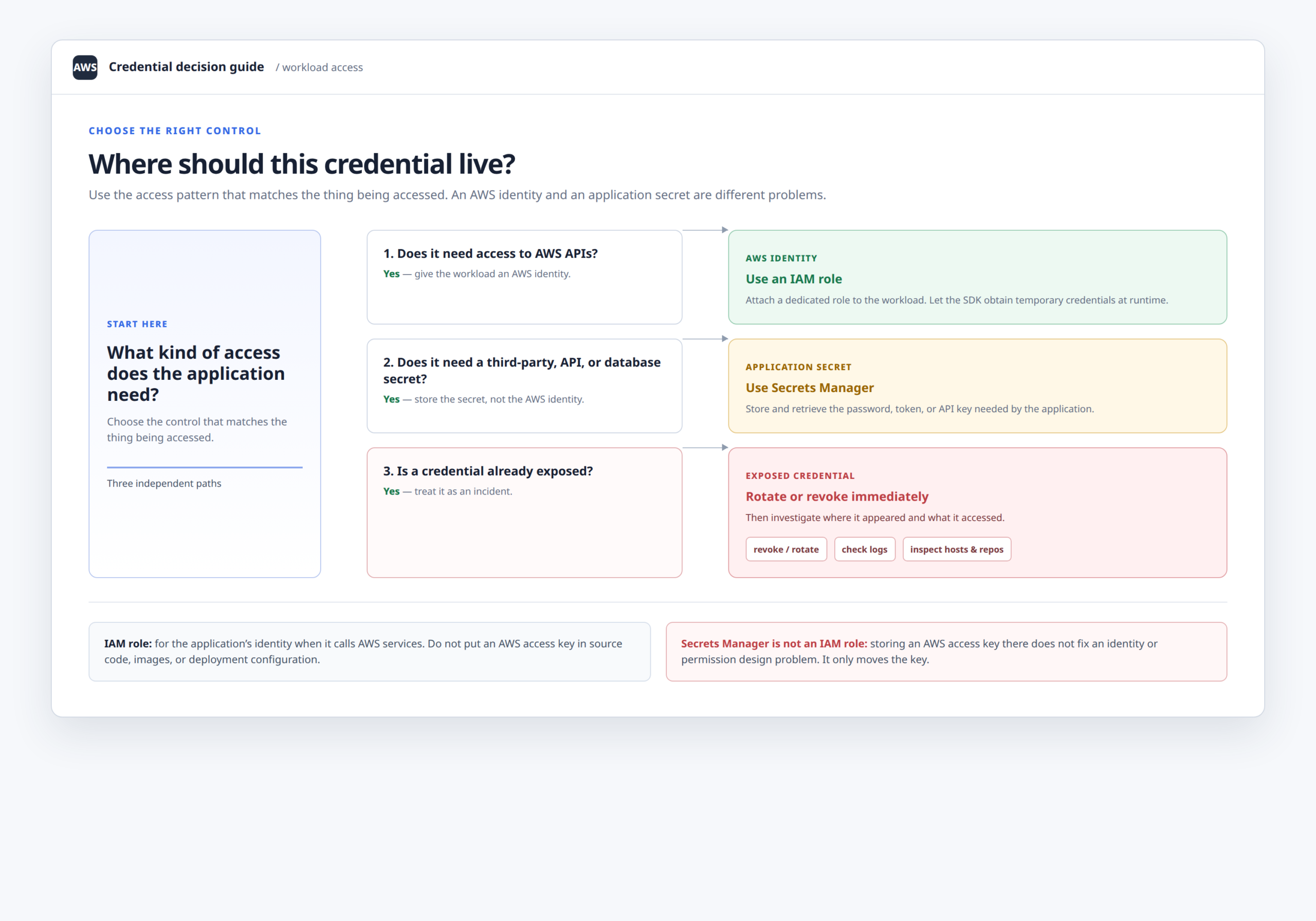
Do not automatically replace every hard-coded credential with another secret stored in Secrets Manager.
For AWS API access from an AWS-hosted workload, an IAM role is usually the better identity mechanism because the workload can obtain temporary credentials dynamically.
Secrets Manager becomes useful when the application genuinely needs a secret that cannot be replaced with an IAM role: a database password, third-party API token, OAuth credential or similar secret material.
AWS explicitly positions Secrets Manager as a way to remove hard-coded application credentials and retrieve them at runtime, with support for automatic rotation.
A production migration example
Suppose a Node.js service on ECS uploads customer-generated files to a private S3 bucket.
The old task definition contains environment variables holding an IAM user’s access key. The application uses those variables to create an S3 client.
I would migrate it in this order:
- Create an IAM role specifically for the ECS task.
- Give it
s3:GetObjectands3:PutObjectonly for the required bucket and prefix. - Attach the role to the ECS task definition.
- Remove explicit access-key configuration from the application.
- Deploy to staging without the environment variables.
- Run the complete upload and retrieval flow.
- Deploy the same configuration to production.
- Deactivate the old IAM access key.
- Watch the service and dependent workloads.
- Delete the old key after the migration is proven.
The application has gained something more useful than a hidden secret. It now has an identity tied to the workload itself.
Common mistakes that make the migration weaker
Putting the same key in an environment variable
This improves repository hygiene but does not eliminate a long-lived credential. The application still depends on it.
Giving the new role administrator access
This creates a new security problem while solving the old one. Start with the permissions the application actually uses.
Using the EC2 instance role for every application
On EC2-backed container environments, this can create unnecessarily broad access. ECS task roles exist specifically to separate workload permissions.
Forgetting about containers sharing a host
A role-based design still needs correct isolation. AWS warns that containers are not inherently a security boundary on ECS and highlights the risk of workloads accessing credentials associated with other tasks or the underlying instance in some EC2-based configurations.
Deleting the key before testing the replacement
Credential migrations are one of those jobs where a reversible step is worth more than confidence.
Deploy the role first. Validate it. Disable the old key. Observe. Delete it last.
The end state you should aim for
When the migration is finished, the production application should have no reason to know an IAM user’s long-term access key.
The relationship should look more like this:
Production workload
        |
        v
Dedicated IAM role
        |
        v
Least-privilege permissions
        |
        +----> Required AWS resources
For EKS, that identity can be associated with the application’s Kubernetes service account through EKS Pod Identity. For ECS, it can be attached as a task role. AWS’s current EKS guidance specifically recommends Pod Identities where possible, while ECS guidance recommends task roles for application permissions.
You are not merely hiding an AWS access key somewhere safer. You are removing a permanent credential from the application’s architecture and replacing it with an identity designed for the workload itself.
Final production checklist
- Find every copy and consumer of the old access key.
- Document what AWS actions the workload really performs.
- Create a dedicated IAM role.
- Apply least-privilege permissions.
- Bind the role to the actual workload.
- Remove explicit static credentials from application code and deployment configuration.
- Test with the static key absent.
- Deploy and verify production behavior.
- Deactivate the old key.
- Investigate and rotate immediately when exposure has already occurred.
- Delete the obsolete key after the migration is stable.
The strongest sign that the migration worked is not that the key disappeared from a repository search. It is that the workload continues operating after the key has been removed from its configuration entirely.