One of the easiest ways to create an AWS security problem is to give a role more permissions than the application needs and assume you will clean it up later. AWS itself recommends starting with the minimum permissions required, yet broad IAM policies remain common because they make deployments work quickly. The harder part is proving what a role actually needs once it is running.
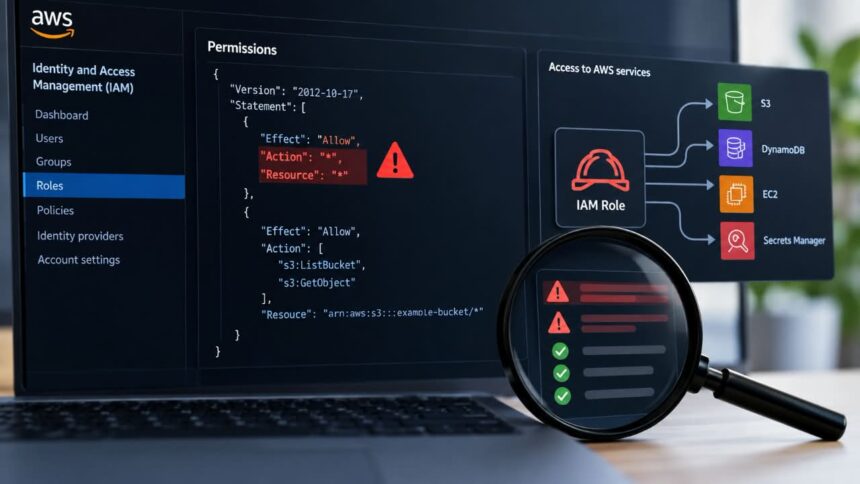
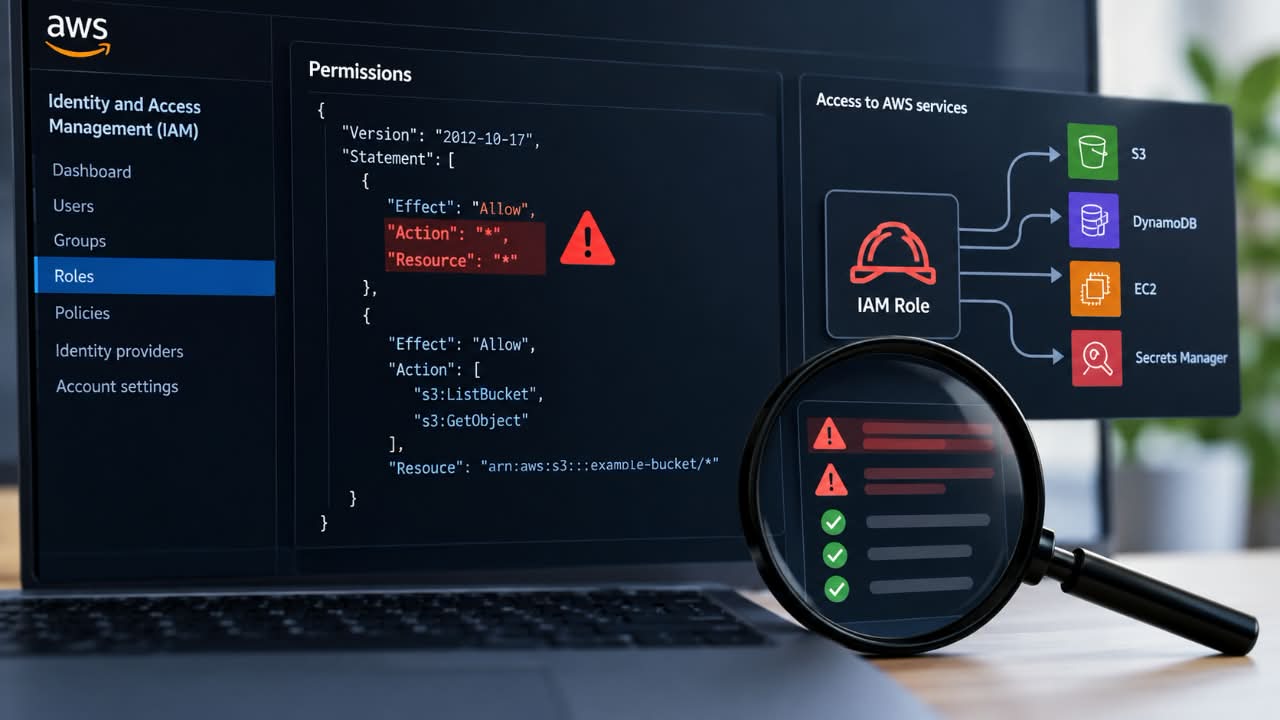
An overprivileged role is not always obvious. Action: "*" against Resource: "*" is easy to flag, but a role with a handful of seemingly ordinary permissions can still create a privilege-escalation path when those permissions are combined.
The practical approach is to compare three things: what the role is allowed to do, what it has actually done, and what other identities or services it can reach. AWS provides tools for each part, but no single report gives you the complete answer.
Start With the Role’s Policy
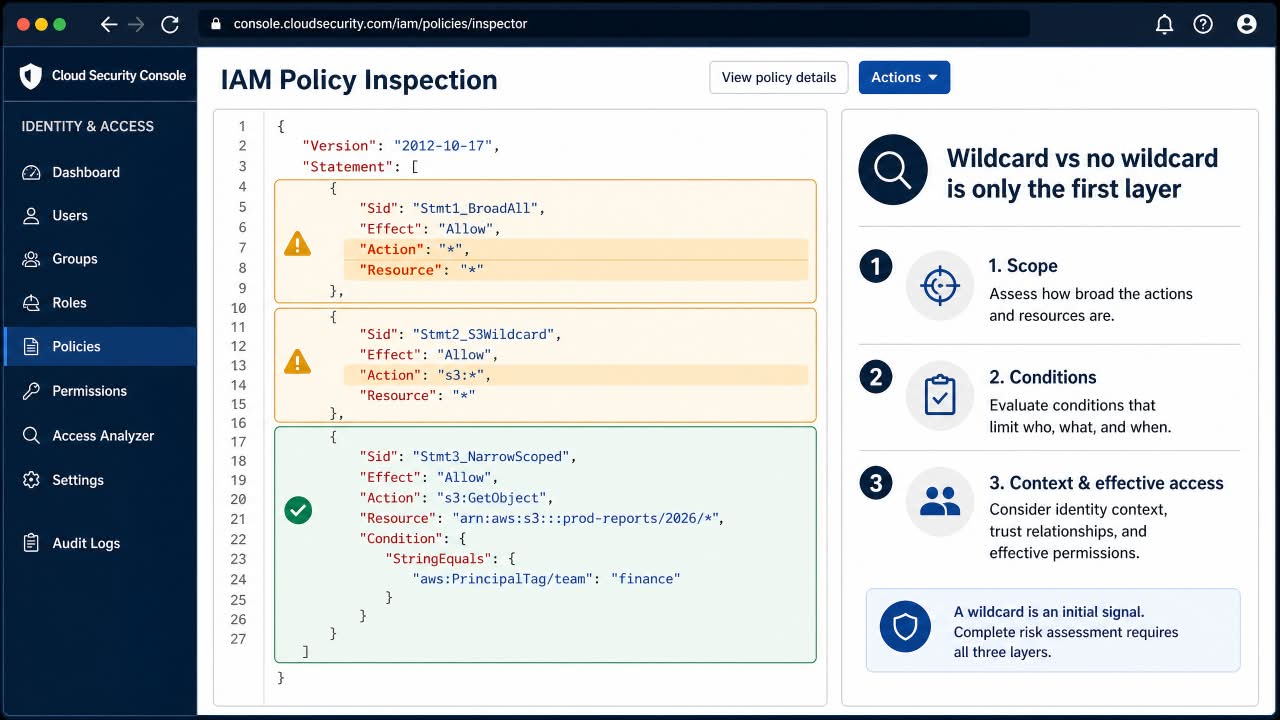
First, inspect every managed and inline policy attached to the role. Look for obvious breadth such as Action: "*", Resource: "*", service-wide permissions such as ec2:*, and policies using NotAction or NotResource in ways that expand access unexpectedly. AWS’s IAM least-privilege guidance recommends granting only the permissions required for a task.
AWS Config can automate part of this review. Its iam-policy-no-statements-with-admin-access rule flags customer-managed policies containing an allow for all actions on all resources. A separate iam-policy-no-statements-with-full-access rule detects customer-managed policies granting full access to an AWS service.
Those checks are useful guardrails, not a complete audit. AWS notes that these Config rules do not evaluate inline policies or AWS-managed policies, and a narrowly written policy can still be dangerously broad because of the resources or permission combinations it exposes.
Check What the Role Actually Uses
This is where IAM Access Analyzer becomes more useful than a simple policy linter. Its unused-access analysis can identify unused roles and unused permissions over a tracking period of between 1 and 365 days.
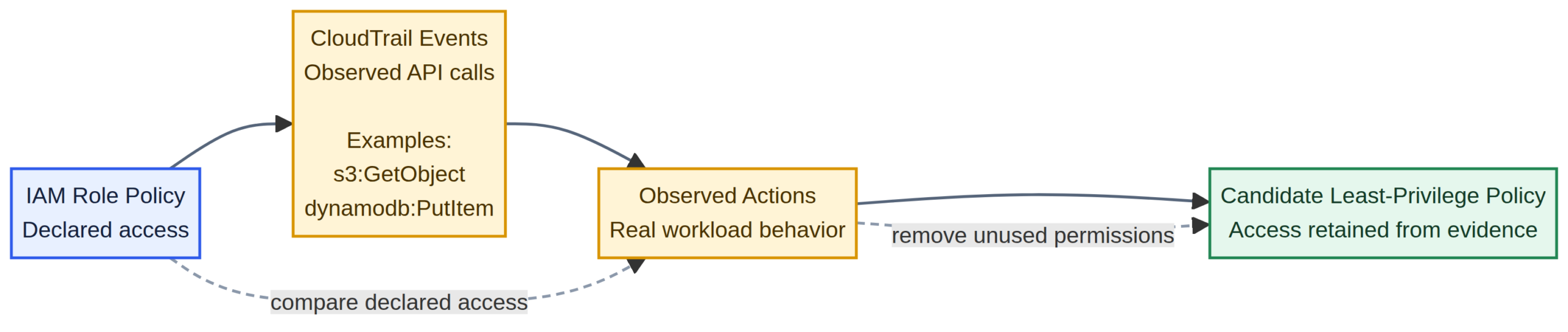
Suppose a production role has permissions for S3, DynamoDB, Secrets Manager and EC2, but its observed workload only reads from S3 and writes to DynamoDB. That is a strong signal that the policy deserves review.
Do not immediately delete every permission marked unused. A quarterly reporting job, disaster-recovery procedure or deployment process may not run during your observation window. AWS also documents limitations around what last-accessed data represents, so an unused-permission finding should start an investigation rather than end it.
Use CloudTrail to Verify the Evidence
AWS CloudTrail gives you the activity trail behind the role. For assumed roles, CloudTrail records the role session and session issuer information, allowing you to connect API activity back to the IAM role.
Look for the actions the application actually performed, the resources it accessed, and whether requests succeeded or were denied. This distinction is important because permission analysis and successful application behavior are not identical.
AWS IAM Access Analyzer can also generate a candidate policy from CloudTrail activity for up to 90 days. The result is useful for rightsizing, but AWS explicitly warns about limitations: S3 data-event actions are not identified in generated policies, and iam:PassRole is not included because it is not tracked by CloudTrail. AWS recommends using CloudTrail itself for auditing.
Look for Privilege-Escalation Paths
This is the part that basic wildcard scanners often miss. A role can have no administrator policy and still possess permissions that help obtain greater privileges.
Pay particular attention to iam:PassRole combined with service APIs that create or modify workloads. AWS’s PassRole guidance recommends restricting which role can be passed and, where appropriate, which service can receive it.
{
  "Effect": "Allow",
  "Action": "iam:PassRole",
  "Resource": "arn:aws:iam::123456789012:role/AppRole-*",
  "Condition": {
    "StringEquals": {
      "iam:PassedToService": "lambda.amazonaws.com"
    }
  }
}
Compare that with iam:PassRole on Resource: "*". The second policy gives the principal a much wider delegation surface.
Also examine permissions such as iam:CreatePolicyVersion, iam:PutRolePolicy, iam:AttachRolePolicy, and iam:UpdateAssumeRolePolicy. Projects such as Rhino Security Labs’ AWS IAM privilege-escalation research and Datadog’s pathfinding.cloud model these as paths that can become dangerous when combined with other permissions.
Audit the Trust Policy Too
An IAM role has two security questions: what it can do and who can assume it. Review the trust policy for unexpected AWS accounts, broad principals, obsolete third-party integrations and missing constraints.
This is especially important for vendor roles. A role may have perfectly reasonable permissions for a monitoring platform while still creating excessive exposure because its trust relationship is broader than necessary.
Check Effective Permissions
Reading the attached role policy is not always enough. AWS evaluates identity policies alongside resource-based policies, permissions boundaries, Organizations SCPs and RCPs, and session policies when applicable. An explicit deny overrides an allow. The full model is documented in AWS’s policy evaluation logic.
For specific questions, use the IAM Policy Simulator. Test sensitive actions against the resources they would actually touch rather than asking whether the role is simply “admin” or “not admin.”

A Practical Detection Workflow
- Inventory the role. Collect its trust policy, inline policies, managed policies, permissions boundary and usage history.
- Normalize the permissions. Resolve policy versions and identify wildcard actions, resources, conditions and
NotAction/NotResourcestatements. - Review unused access. Use IAM Access Analyzer with an observation period appropriate for the workload.
- Verify activity. Query CloudTrail and identify the actions and resources actually used.
- Search for escalation paths. Review
iam:PassRole, IAM policy-management actions and cross-service combinations. - Test the result. Use the Policy Simulator and application testing before removing production permissions.
- Fix the source. When the role is managed through CloudFormation, CDK or another IaC system, update the code rather than only changing the live role.
AWS’s security guidance makes the last point especially relevant: IAM remediation should feed back into the infrastructure code and CI/CD process so the next deployment does not simply restore the old permissions.
Final Test: Can You Explain Every Permission?
A useful IAM review ends with a simple question: can the owner explain why each high-impact permission exists?
If a production role has 300 permissions and nobody can explain 120 of them, the problem is already visible. The safest remediation is not to guess which statements look ugly. It is to connect policy data, observed activity and escalation paths, reduce the permissions to the workload’s actual needs, test the change, and keep the corrected policy in version control.