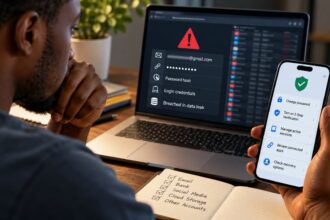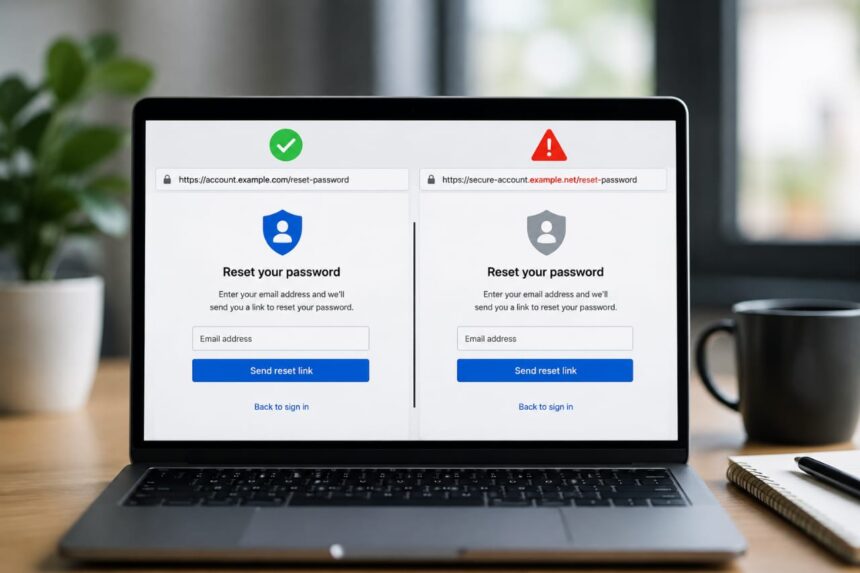
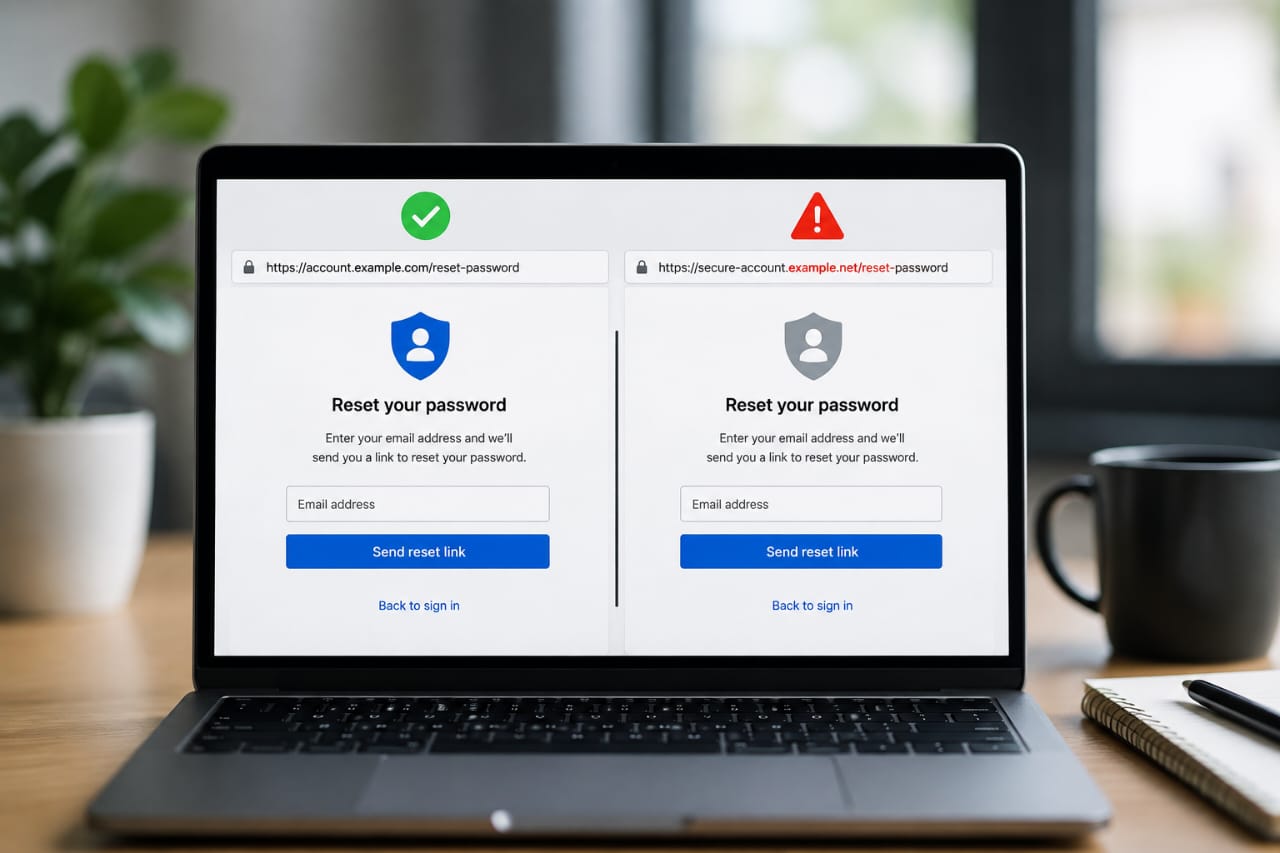
A fake password reset page does not have to look sloppy anymore. Google has warned that scam pages can mimic email, text, phone, and web experiences closely enough that the old “bad spelling = phishing” test is no longer enough, and Microsoft has reported phishing campaigns that rely on automation and dynamic generation to scale.
That is the uncomfortable part: the page that asks you to “confirm your identity” can look calm, polished, and completely ordinary. It may have the right logo, the right colors, and the right tone of voice. AI has made the costume better, not the crime smaller.
In practice, password reset phishing works because it taps panic. People see “reset your password now,” “unusual sign-in detected,” or “your account will be locked,” and their hands move faster than their judgment. That is exactly why attackers love this flow: it feels urgent, familiar, and safe enough to trust for a few seconds.
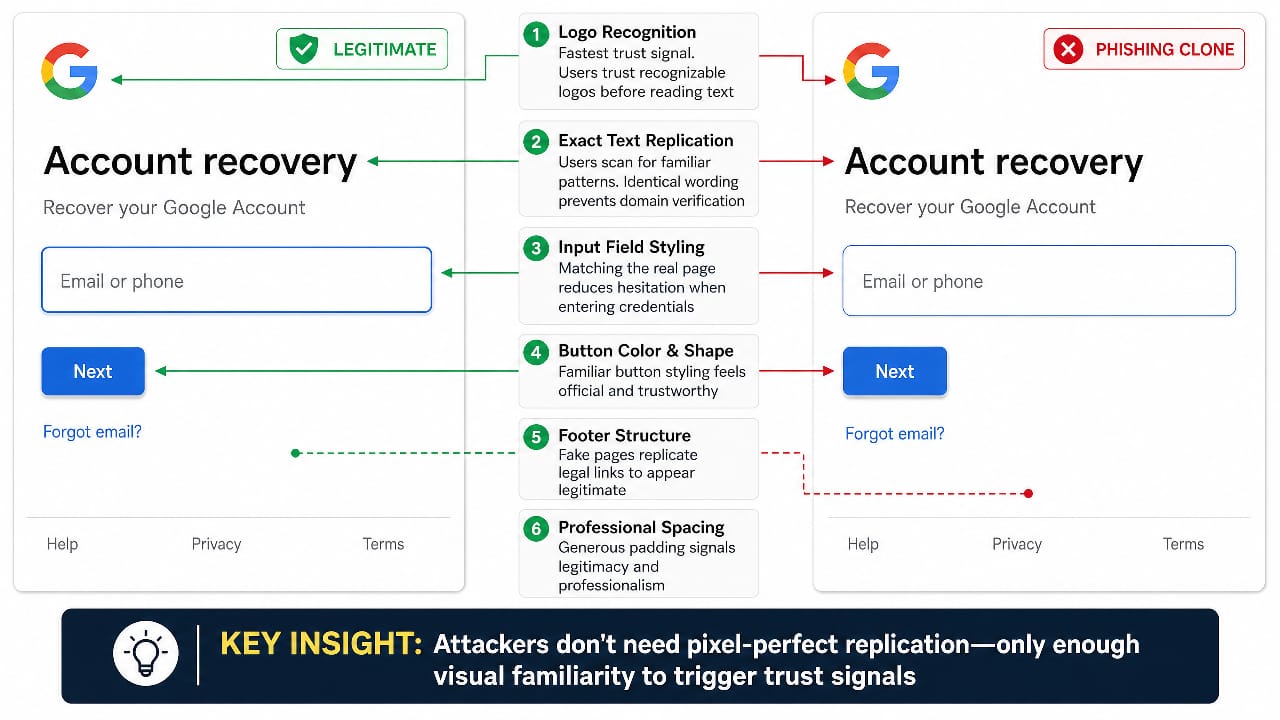
Why These Pages are so Effective
Modern phishing pages do not rely on broken English. AI tools can generate clean wording, realistic button labels, and brand-like microcopy in seconds.
Research on LLM-assisted phishing shows that the barrier to producing convincing lures is much lower than it used to be, while Microsoft’s 2025 defense report says AI is changing the threat landscape for both defenders and attackers.
Some attacks go a step further and imitate the full authentication flow, not just the login form. Microsoft documented a widespread campaign using the device code authentication flow, with automation and dynamic code generation helping the attack scale. That matters because the victim is not only typing a password; they may also be pushed through a fake “verification” sequence that feels official.
The Fastest Red Flags to Check
- You did not request the reset: If the message is unexpected, pause immediately and go to the service manually through its app or typed address, not the link in the message.
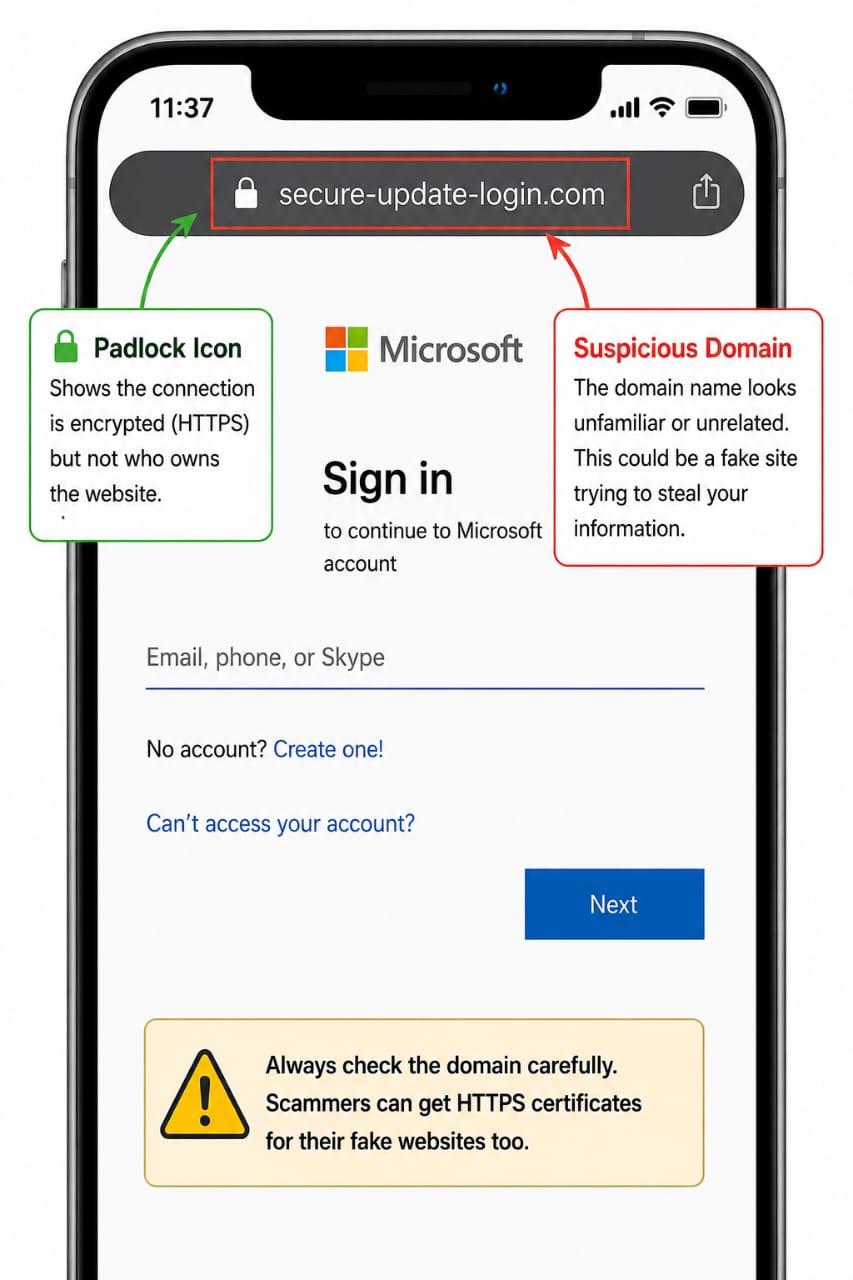
- The domain is slightly off: Tiny spelling tricks, odd subdomains, and lookalike letters are still some of the oldest and most effective phishing tricks. Google’s scam guidance and Check Point’s brand-phishing reporting both emphasize impersonation through brand lookalikes.
- Your password manager refuses to autofill: That is often a sign you are not on the domain it recognizes. It is one of the quietest but most useful checks available.
- The page leans hard on urgency: Warnings about account closure, immediate suspension, or expiring access are designed to shorten your decision time.
- The page asks for too much: A real password reset flow should not suddenly ask for recovery codes, card numbers, or unrelated personal data.
A Simple Step-by-Step Check
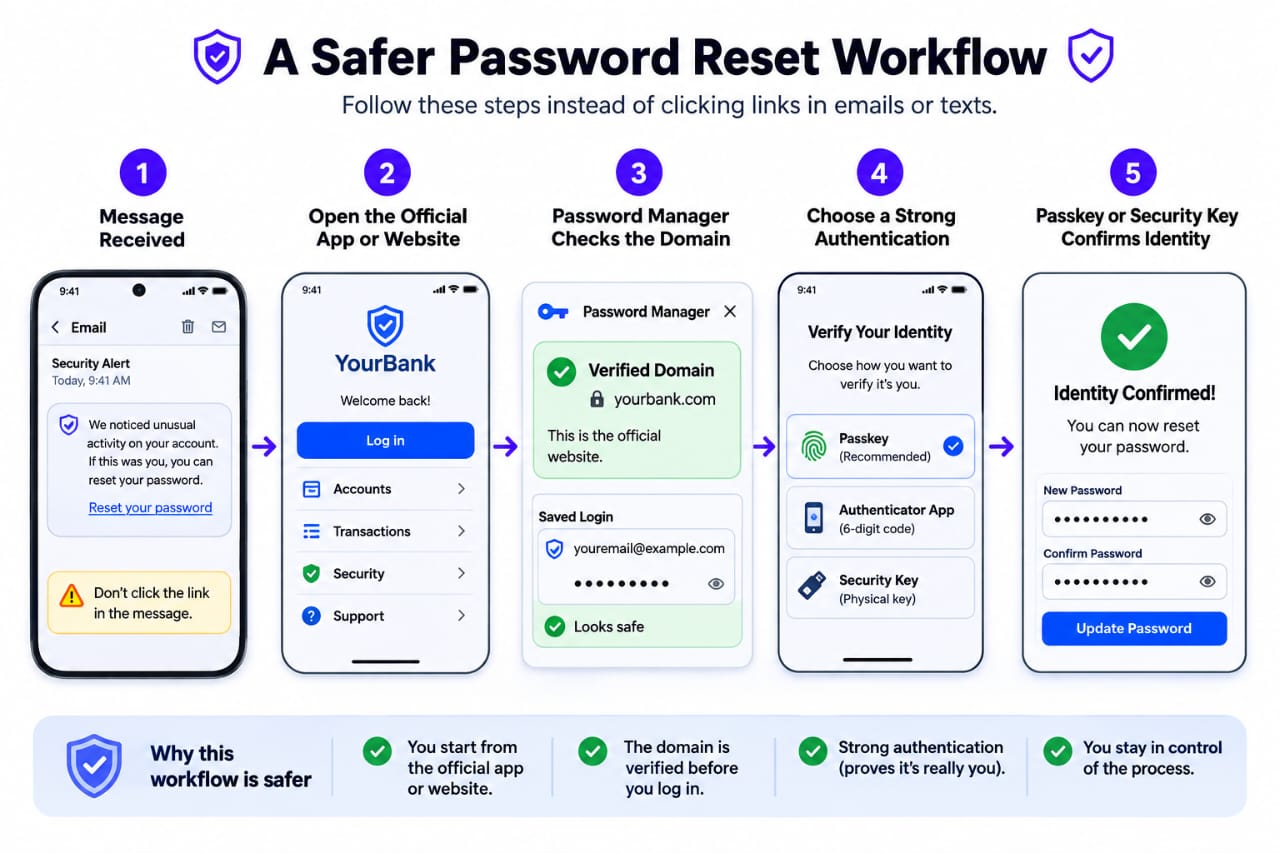
- Stop on contact: Do not click the reset link from the email, SMS, or popup. Open the service yourself by typing the known address or using the official app.
- Read the domain like a receipt: Check the whole address, not just the logo. A fake page can look right while sitting on the wrong domain or a deceptive subdomain.
- Try your password manager: If it does not offer the saved login, treat that as a warning and verify the site carefully before doing anything else.
- Look for out-of-band confirmation: Real account-security alerts usually show up inside the provider’s own app or security center, not only in the message that is trying to rush you.
- Check the flow, not just the form: Broken help links, weird permission prompts, or strange extra verification steps can reveal a cloned page that only looks complete from a distance.
How to Protect Yourself and Your Team
The cleanest defense is to reduce your dependence on passwords in the first place. Microsoft’s passwordless guidance says methods such as passkeys, device-based approval, biometrics, and hardware security keys can reduce phishing risk, and NIST says phishing-resistant authenticators are designed so users do not manually type authentication secrets into a site pretending to be legitimate.
- Use a password manager for unique passwords and let it warn you when a site does not match.
- Turn on phishing-resistant MFA or passkeys wherever the platform supports them.
- Verify account alerts inside the official app or website, not through the link that arrived first.
- Keep software updated and report suspicious messages fast. CISA’s Secure Our World guidance keeps returning to those same basics for a reason.
Bottom line
AI has not invented a new trick so much as it has upgraded an old one. Fake password reset pages are now easier to polish, easier to personalize, and easier to scale. The smartest defense is still beautifully unglamorous: inspect the domain, trust your password manager, avoid unexpected links, and move toward phishing-resistant login methods.
When in doubt, do the boring thing. Open the official site yourself. Check the account center. Reset from inside the product, not from the message that claims to be helping you. That small pause is often the difference between staying locked in and handing over the keys.